
In This Article
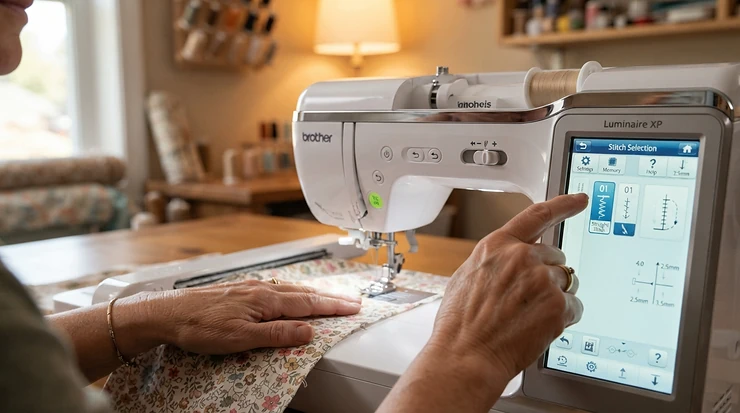
Somewhere between the intimidating dial-and-lever contraption your gran swore by and the sleek, app-connected gadgets sewing influencers show off on Instagram, there’s a genuinely useful middle ground: touchscreen sewing machines for beginners. These are the machines that let you tap a stitch icon instead of squinting at a chart taped to the machine’s arm, preview a design before a single needle drops, and generally feel like you’re driving something built this decade rather than something rescued from a loft clearance.
Here’s the thing nobody tells you before you buy your first machine: the screen isn’t a gimmick. On paper it looks like a nice-to-have, the sewing equivalent of heated seats. In practice, a good touchscreen removes about half the friction that makes beginners quit within a fortnight — no more counting clicks on a dial, no more guessing which foot a stitch needs. Reviewers across UK retailer sites and forums repeatedly single out exactly this: the screen turns “which button was that again?” into “oh, I can just see it.” The best sewing machines for beginners typically pair a wireless touchscreen with a healthy stitch and embroidery library, and that combination is precisely what this guide sets out to unpick.
Over the next few thousand words we’ll walk through seven real, currently available machines spanning genuinely affordable to genuinely aspirational, work out which screen size and stitch menu actually matters for a first-timer, and get into the practical stuff — setup, maintenance, common early mistakes, and the safety standards a UK buyer should quietly check before clicking “buy now.”
Quick Comparison Table
Before the deep dive, here’s the lay of the land. Prices below are indicative ranges based on research at the time of writing — always check the current price on the retailer’s page, since sewing machine pricing shifts with stock levels and seasonal promotions.
| Machine | Screen | Sewing/Embroidery | Best For | Price Range |
|---|---|---|---|---|
| Poolin EOC05 | 7″ colour LCD touch | Combo, 96 designs | Absolute beginners on a tight budget | Under £320 |
| Brother SE700 | 3.7″ colour touch | Combo, 103 stitches / 135 designs | Best all-rounder for beginners | £350-£450 |
| Singer SE9180 | 7″ colour touch, WiFi | Combo, 250 stitches / 150 designs | Beginners planning to grow fast | £700-£900 |
| Brother Innov-is F480 | 3.7″ colour touch | Combo, 182 stitches / 138 designs | Stepping up to bigger embroidery | £650-£800 |
| Brother Innov-is F580 | Colour touch, wireless | Combo, 241 stitches / 193 designs | Advanced projects and quilting | £950-£1,150 |
| Bernina 475 QE | Colour touch | Sewing/quilting focus | Precision quilters wanting Swiss build | Around £1,450-£1,700 |
| Janome Continental M7 | 7″ HD colour touch | Professional sewing/quilting | Serious hobbyists and small businesses | Typically over £4,000 |
Look at that spread and a pattern jumps out immediately: screen size doesn’t scale neatly with price, and neither does stitch count. The Poolin EOC05 actually has a bigger physical screen than the Brother SE700, which sits two tiers above it once you weigh in build quality, brand support, and design library depth. What the table can’t show is how the interface feels to navigate — that’s where the real analysis in the product section below earns its keep, because a big screen with a clunky menu structure is worse than a small screen that’s genuinely intuitive.
Found a machine you like the look of already? Click through to check its current price — the deals on these models tend not to hang around.
Top 7 Touchscreen Sewing Machines: Expert Analysis
We’ve picked these seven to cover the realistic spread of what a UK beginner will actually encounter while browsing: a proper budget entry point, the mid-range machine most first-timers land on, and a run of increasingly capable machines for anyone who suspects — correctly, usually — that they’ll outgrow a starter model within eighteen months.
1. Poolin EOC05 — biggest screen for the smallest outlay
The standout here is genuinely the screen: a 7-inch colour touch display on a machine priced like a mid-range entry model is unusual, and it’s the first thing anyone notices out of the box. This computerised sewing and embroidery machine pairs a large 7-inch LCD touchscreen with an automatic needle threader, aimed squarely at beginners. What that means in practice is you’re not squinting at tiny stitch icons the way you would on some Brother and Singer machines in this price band — everything’s rendered large enough to tap accurately even if your hands aren’t perfectly steady yet, which, let’s be honest, they won’t be for the first few projects.
The package includes 96 built-in embroidery designs, 8 lettering fonts, and menus available in 10 languages, which is a genuinely useful spread for a machine at this price point — most rivals under £350 don’t offer embroidery at all, let alone a design library this size. What the spec sheet won’t tell you is that the sewing-only stitch count on combo machines like this tends to be modest compared to dedicated sewing machines at the same price, because the manufacturer’s engineering budget goes on the embroidery unit and hoop mechanism instead. If your priority is decorative sewing and personalising gifts rather than dressmaking, that trade-off works in your favour; if you want fifty utility stitches for garment construction, look further down this list.
Because this is a newer entrant from a smaller brand rather than an established name like Brother or Singer, the pool of independently verified, long-term customer reviews is thinner — we’d rather say that plainly than invent sentiment we can’t back up. What feedback does exist tends to focus on the value proposition (a touchscreen embroidery machine at this price simply didn’t exist a few years ago) and on the learning curve of the bundled software for transferring custom designs, which several buyers describe as less polished than Brother’s companion app.
Pros:
- ✅ Large 7-inch touchscreen, unusually big for the price
- ✅ Genuine embroidery function most budget rivals skip entirely
- ✅ Menu languages and lettering fonts add real flexibility
Cons:
- ❌ Smaller, less established brand with a thinner review history
- ❌ Companion design software reportedly less refined than Brother’s
At under £320, this is the machine to consider if embroidery is the whole point of buying a touchscreen machine and you’re not ready to commit Brother SE700 money to find out whether you’ll stick with the hobby.
2. Brother SE700 — best all-rounder for a first machine
If you only read one product entry in this guide, make it this one — the Brother SE700 is the machine that keeps coming up across independent buying guides as the sensible default for a first touchscreen machine, and the reasoning holds up under scrutiny. It comes loaded with 135 embroidery designs, 103 sewing stitches, and a 3.7-inch colour touchscreen that lets you preview edits before a single thread moves.
That preview function matters more than it sounds. On cheaper combo machines you commit to a design, hoop your fabric, and only discover a sizing or placement problem once the needle’s already moving. Here, you can rotate, resize, and nudge a design on-screen first, which is the difference between confidently starting a project and hovering over the start button hoping for the best. Wireless design transfer via the Artspira app means you can sketch something on your phone and stitch it minutes later, no USB hunting required — genuinely one of the more thoughtful pieces of software design in this price bracket, and something the pricier Poolin EOC05 simply can’t match.
Reviewers consistently single out the automatic needle threader and thread cutter as bigger quality-of-life wins than the spec sheet suggests. One detailed buyer account put it plainly: “The speed control, needle down option, automatic needle threader, and the ability to automatically cut the thread are game changers,” and that lines up with the broader pattern in aggregated feedback — beginners rate this machine highly specifically because the fiddly bits are automated away. The trade-off, and it’s a real one, is the 4×4 inch embroidery hoop. That hoop size is pretty limiting: fine for monograms and small motifs, not so great for bigger statement pieces, so anyone with ambitions toward large embroidered panels on jackets or bags will hit that ceiling within a few months.
Pros:
- ✅ Genuinely intuitive touchscreen with live design preview
- ✅ Automatic threader and cutter save real time for beginners
- ✅ Wireless app transfer removes the USB-stick faff entirely
Cons:
- ❌ 4×4 inch hoop limits larger embroidery projects
- ❌ Mid-tier price feels like a jump from ultra-budget options
Priced around £350-£450, this sits comfortably as the machine most beginners should default to unless a specific limitation above rules it out for you.
3. Singer SE9180 — best for beginners who know they’ll want more room to grow
Singer’s more recent combo machine leapfrogs the SE700 on almost every spec that matters for someone planning to stick with embroidery long-term. The 7-inch touchscreen alone changes the day-to-day experience: the SE9180 delivers 250 stitches across 401 applications, 150 embroidery designs, WiFi connectivity, a 7-inch touchscreen, and 10 fonts, which on paper reads like a machine two price tiers above the SE700 — because, roughly speaking, it is.
What that spec sheet means in the sewing room: the large 7-inch touch screen shows exactly what you’re stitching before you commit, and the automatic needle threader gets you sewing quickly, while the mySewnet connectivity opens up app notifications on embroidery progress and the ability to build designs from scratch. That’s a genuinely different tier of software support compared with the Artspira app on the Brother — mySewnet leans harder into a subscription-style ecosystem, which is worth knowing before you buy, since full access to the growing design library requires a subscription. Based on the spec comparison, this machine rewards someone who’s already decided embroidery is a long-term hobby rather than someone testing the water.
One honest caveat: Singer’s combo machines in this range are considerably easier to find through US retailers than dedicated UK stockists, so before you commit, check that a UK seller can offer proper warranty support and that the machine ships with a UK plug and voltage compatibility confirmed. It would be dishonest to gloss over that — it’s a real practical hurdle that the Brother and Janome machines on this list simply don’t present.
Pros:
- ✅ Large 7-inch screen with genuinely useful live stitching preview
- ✅ 150 embroidery designs comfortably beats the SE700’s library
- ✅ mySewnet app adds progress tracking and custom design tools
Cons:
- ❌ UK retail availability and warranty support is patchier than Brother’s
- ❌ Full design library access needs an ongoing subscription
At roughly £700-£900, this is the pick for a beginner who’s already fairly confident they’ll want more stitches and a bigger design library within the first year, and is happy to do a bit more legwork sourcing it through a UK-based seller.
4. Brother Innov-is F480 — best for stepping beyond a starter machine
Where the SE700 is designed to be someone’s first machine, the Brother Innov-is F480 is built for the sewist who’s outgrown that first machine but isn’t ready for four-figure spending. It combines sewing and embroidery with 138 built-in designs, 182 sewing stitches, a 3.7-inch colour LCD touchscreen, and a My Custom Stitch function that lets you design and save your own decorative stitches.
The embroidery area is the headline upgrade here. A large embroidery area of 180 x 130mm lets you customise projects with much bigger designs than the SE700’s 4×4 inch hoop allows, which directly answers the frustration a lot of SE700 owners eventually hit. Reviewers who’ve moved up from entry-level machines describe the difference as immediately noticeable: fewer re-hoops, more room for statement pieces on jackets, cushions, and tote bags. It’s described as great for beginners all the way up to the most advanced makers, with a knee lift, built-in needle threader, automatic thread cutter, and automatic needle up/down all easily accessible on the front of the machine.
What most buyers overlook about this model is the knee lift — a feature borrowed from professional and industrial machines that frees both hands to manage fabric while lifting the presser foot with your knee. It sounds like a luxury until you’re wrestling a bulky seam through the machine and realise how much easier that manoeuvre becomes. On the flip side, honest sourcing here matters: this exact model has reportedly been superseded by the F580 (below) at some UK retailers, so stock and pricing can vary more than with an actively promoted current model.
Pros:
- ✅ 180 x 130mm embroidery area, well beyond entry-level hoop sizes
- ✅ My Custom Stitch lets you build and save your own decorative patterns
- ✅ Knee lift frees both hands for tricky fabric management
Cons:
- ❌ Being an older model in the range, stock availability varies by retailer
- ❌ Meaningful jump in price from true beginner machines
Typically found around £650-£800, this is the sensible upgrade path for someone who bought a Brother SE700, loved it, and is now bumping against its hoop size limits.
5. Brother Innov-is F580 — best touchscreen machine for advanced projects
If you already know you’re heading toward advanced projects — proper quilting, garment construction with decorative detailing, or embroidery pieces that need serious real estate — the Brother Innov-is F580 is where this list starts taking that seriously. This combination sewing, quilting and embroidery machine adds wireless connectivity, a colour touchscreen, and sideways feeding on top of everything the F480 offers.
The numbers back up the “advanced projects” positioning: 241 utility and decorative stitches including 10 one-step buttonholes, and 193 built-in embroidery patterns, 55 of which are new to the F-series. Brother’s Square Feed Drive System also gets a mention worth unpacking rather than skipping past: professional finishes come from Brother’s Square Feed Drive System, giving superior quality, strong stitching on any fabric, with four-way side feeding making decorative stitches precise and crisp. In plain terms, that mechanism reduces puckering and misalignment on decorative stitching, which is exactly the kind of thing that separates a passable finish from a genuinely professional-looking one on tricky fabrics like jersey or quilting cotton.
Here’s the honest framing though: despite the “advanced” positioning, Brother has deliberately kept this approachable. Whether you’ve been sewing for a while or are just starting out, the advanced needle threader, drop-in bobbin, slide speed controller and easy threading system make the F580 straightforward to use. That’s the real argument for buying it as a beginner rather than the F480 or SE700 — if your budget stretches this far and you’re confident you won’t abandon the hobby, buying the machine you’ll still be happy with in three years is often better value than buying twice.
Pros:
- ✅ Side feeding and Square Feed Drive System reduce puckering on tricky fabrics
- ✅ 193 embroidery designs and 241 stitches give serious creative range
- ✅ Wireless connectivity and colour touchscreen streamline design editing
Cons:
- ❌ Meaningful investment for anyone still testing whether sewing sticks
- ❌ Larger stitch and design library takes longer to fully explore
Expect to pay in the region of £950-£1,150, positioning this firmly as the machine for a committed beginner who wants zero ceiling on ambition.
6. Bernina 475 QE — best Swiss-built precision for quilters
Bernina doesn’t chase spec-sheet stitch counts the way Brother and Singer do, and the Bernina 475 QE illustrates why that’s a deliberate choice rather than a shortfall. Built especially for quilters who demand precision, power, and ease, it delivers auto tension control, a colour touchscreen, a 5.5mm stitch width, stitch regulator readiness, 40 quilting-specific stitches, and jumbo bobbins.
What most beginners overlook about “stitch regulator ready” is that it’s a genuinely advanced quilting feature: it lets an optional add-on regulate stitch length automatically during free-motion quilting, based on how fast you’re moving the fabric rather than a fixed motor speed. Nobody needs that on day one, but it means this machine has real headroom to grow into skills you haven’t developed yet — a rare thing in a beginner-adjacent purchase. Bernina’s reputation, independently corroborated by consumer research, backs up the premium price: Bernina machines are consistently rated among the most durable and highly regarded sewing machine brands in UK owner surveys, which is a meaningfully different quality signal than a manufacturer’s own marketing claims.
The honest trade-off is stitch and design variety. This is a quilting-and-sewing machine rather than a sewing-and-embroidery combo, so if decorative embroidery designs are your priority, look back to the Brother or Singer options above. What you’re paying the premium for here is build quality, precision at the needle, and a touchscreen interface widely reported as clean and logically laid out rather than crammed with menus.
Pros:
- ✅ Auto tension control removes a common source of beginner frustration
- ✅ Stitch regulator readiness gives genuine long-term quilting headroom
- ✅ Swiss build quality consistently rated highly in independent surveys
Cons:
- ❌ No embroidery function, so it’s sewing and quilting only
- ❌ Sits well above Brother and Singer combo machines on price
Priced around £1,450-£1,700, this is a considered choice for a beginner who already knows quilting is their specific focus and wants a machine built to last decades, not seasons.
7. Janome Continental M7 — best aspirational pro-grade pick
Every good buying guide needs a “look how far this category goes” entry, and the Janome Continental M7 is that machine here. It has the largest sewing area in the industry, providing the room, light, and line of sight necessary to create, with a 7-inch high-definition colour touch screen ergonomically placed for easy access and reading.
This isn’t a machine we’d tell a total beginner to buy on day one, and Amazon-style “best overall” lists that suggest otherwise are doing readers a disservice. What’s genuinely useful about including it here is the contrast it draws: sitting this spec sheet next to the Brother SE700 shows exactly what an extra several thousand pounds buys you — a dramatically larger throat space for quilting bulky projects, industrial-grade motor components built for daily use rather than hobbyist frequency, and a touchscreen interface designed around workflow speed for someone running a small sewing business rather than someone learning what a bobbin is.
If there’s a realistic beginner case for a machine like this, it’s someone starting a small-scale alterations, quilting, or craft business who wants to buy their “forever machine” immediately rather than working through three upgrades over five years. Based on the spec comparison alone, that’s a defensible strategy for the right buyer, even if it’s the exception rather than the rule on this list.
Pros:
- ✅ Genuinely industry-leading sewing space for large projects
- ✅ 7-inch HD touchscreen built for fast, professional workflows
- ✅ Robust build intended for heavy, near-daily use
Cons:
- ❌ Serious four-figure-plus investment, well beyond typical beginner budgets
- ❌ Overkill for anyone not already committed to serious project volume
Typically priced well over £4,000 depending on configuration, this is squarely an aspirational entry rather than a realistic first purchase for most readers — but a useful benchmark all the same.
Getting Started: Your First 30 Days With a Touchscreen Machine
The first month with any new machine is where most beginners either fall in love with sewing or quietly shove the box into a cupboard. A few practical habits make a disproportionate difference here. First, resist the urge to dive straight into a “real” project. Spend your first proper session sewing straight lines on scrap fabric, purely to learn how your specific touchscreen menu is organised — where the buttonhole settings live, how to adjust tension, where the needle-position toggle sits. Every brand structures its menu slightly differently, and ten minutes of deliberate exploring saves an hour of frustrated hunting later.
Second, thread the machine properly every single time, even for a five-minute test stitch. The automatic threaders on machines like the Brother SE700 and Poolin EOC05 are genuinely reliable, but they only work correctly if the presser foot is raised first — a step beginners forget constantly, then blame the machine for a threading failure that was entirely user error.
Third, build a simple maintenance rhythm from week one rather than waiting for a problem: brush out lint from the bobbin case after every two or three projects, and keep the machine covered when it’s not in use, since dust is the single biggest cause of tension problems on computerised machines. Finally, don’t skip the manufacturer’s own setup walkthrough on the touchscreen itself — models like the Brother Innov-is F480 and Singer SE9180 include on-screen guidance for first-time threading and bobbin winding that’s specifically designed for someone who’s never used a computerised machine before.
Real-World Scenarios: Which Touchscreen Machine Suits You?
Specs only mean so much in the abstract, so here are three realistic profiles. If you’re a university student wanting to alter thrifted clothes and stitch the occasional patch onto a denim jacket in a shared flat, the Poolin EOC05 or Brother SE700 make the most sense — both are compact enough to store away and neither represents a devastating loss if student life means it gets less attention some terms than others.
If you’re a parent picking up sewing again after a decade-long gap, planning to make curtains, cushion covers, and the odd Halloween costume, the Brother Innov-is F480 hits a sensible middle ground: enough embroidery room for personalised gifts, a forgiving enough learning curve, and stitch variety that won’t feel limiting as your confidence grows across a couple of years of varied projects.
And if you’re someone eyeing up a small Etsy shop selling personalised baby blankets and embroidered tote bags, skip the beginner tier entirely and look at the Brother Innov-is F580 or Singer SE9180. The larger embroidery areas and bigger design libraries on those machines translate directly into fewer re-hoops per order and a faster turnaround time — which, once you’re selling rather than gifting, is the difference between a hobby that pays for itself and one that quietly eats your evenings for free.
Troubleshooting: Common Touchscreen Sewing Machine Problems, Solved
A handful of problems account for most beginner frustration, and nearly all of them have a five-minute fix. If the touchscreen is unresponsive or laggy, check first whether your fingers are damp or you’re wearing gloves — capacitive touchscreens on machines like the Brother SE700 and Singer SE9180 need direct skin contact, and a screen protector fitted incorrectly can also dull sensitivity.
If stitches are bunching or the thread keeps snapping, the usual suspect is incorrect threading order rather than a machine fault — re-thread from scratch with the presser foot raised, since most computerised machines including the Poolin EOC05 disengage tension discs when the foot is up, and threading around a lowered foot throws tension off entirely. If an embroidery design comes out shifted or distorted, check the hoop is fully clicked into place and that the fabric is genuinely taut in the hoop rather than just pulled snug at the edges — a loose centre is the most common cause on the Brother Innov-is F480‘s larger hoop specifically, since more fabric area means more opportunity for sag.
Finally, if the machine keeps skipping stitches on stretch or slippery fabric, the fix usually isn’t the machine at all — swap to a ballpoint or stretch needle, since a standard universal needle will punch through knit fibres rather than sliding between them, causing exactly this symptom.
How to Choose a Touchscreen Sewing Machine for Beginners
A touchscreen sewing machine for beginners is a computerised model that replaces physical stitch dials and buttons with a digital screen for selecting, previewing, and adjusting stitches. It typically pairs simplified navigation with automated features like needle threading, making the early learning curve considerably gentler than mechanical alternatives. Here’s how to actually choose one, step by step:
- Decide sewing-only versus combo first. If embroidery doesn’t interest you, a sewing-only computerised machine will always beat a combo machine’s sewing performance at the same price, since none of the budget goes toward a hoop mechanism you won’t use.
- Check the screen size against your eyesight and patience, not marketing photos. A 7-inch screen like on the Poolin EOC05 or Singer SE9180 is genuinely easier to navigate accurately than a 3.7-inch one, particularly for anyone who wears glasses for close work.
- Look past the total stitch count to the buttonhole style. A one-step automatic buttonhole, present on most machines in this guide, saves more real frustration for a beginner than an extra forty decorative stitches you’ll rarely use.
- Confirm hoop size if embroidery matters to you. The jump from the Brother SE700‘s 4×4 inch hoop to the Brother Innov-is F480‘s 180x130mm area is the single biggest functional difference between those two machines.
- Read owner reviews specifically for threading and bobbin complaints. These are the two failure points that generate the most genuine frustration, far more than stitch variety ever does.
- Factor in UK-specific stockist support, particularly for brands like Singer where availability leans more heavily toward US retailers.
- Set a realistic upgrade horizon. Buying the Brother Innov-is F580 now to skip an upgrade in eighteen months is sometimes better value than two cheaper purchases in sequence — work out honestly which category you’re in before you buy.
Touchscreen Sewing Machine for Embroidery: What Beginners Need to Know
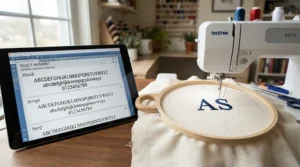
If a touchscreen sewing machine for embroidery is specifically what you’re after, the calculation changes from pure sewing machines in one important way: hoop size becomes the defining spec, more important than stitch count or even screen size. A small hoop like the 4×4 inch unit on the Brother SE700 genuinely limits you to monograms, small motifs, and patches, while the 180x130mm area on the Brother Innov-is F480 opens up full back-panel designs on jackets and bags.
Software matters just as much as hardware here. The Brother SE700‘s Artspira app and the Singer SE9180‘s mySewnet platform both let you design or source patterns away from the machine, then transfer them wirelessly — a genuinely transformative workflow compared with older USB-stick methods, where a corrupted file mid-project was a common and thoroughly demoralising complaint in older machine reviews. One practical tip that Amazon listings never mention: always stitch out a new design on a fabric scrap identical to your actual project first. Tension and stabiliser needs vary enormously between, say, quilting cotton and stretch jersey, and a test stitch-out costs you five minutes but can save an entire ruined project.
Touchscreen Sewing Machine for Advanced Projects: When to Upgrade
Knowing when you actually need a touchscreen sewing machine for advanced projects, rather than simply wanting one, is worth being honest with yourself about. The clearest signal is hitting a genuine capability ceiling rather than boredom — your current machine’s throat space is too small for the quilt you’re piecing, its stitch width can’t handle the decorative technique you’re chasing, or its hoop is forcing you to piece embroidery designs together in sections that never quite align.
The Brother Innov-is F580‘s Square Feed Drive System and sideways feeding exist specifically to solve advanced-technique problems that a beginner machine simply wasn’t engineered for, while the Bernina 475 QE‘s stitch regulator readiness is aimed squarely at free-motion quilters pushing past basic straight-line work. If you’re not yet running into these specific limitations on your current machine, the honest advice — the kind a salesperson on commission won’t always give you — is to keep sewing on what you’ve got a little longer. Upgrading before you’ve identified a real bottleneck usually just means paying more for headroom you’re not using yet.
Intuitive Stitch Menu vs Traditional Dial: Why the Interface Matters
The single biggest usability gap in this entire category isn’t stitch count or price — it’s the difference between an intuitive stitch menu and a traditional mechanical dial. On a dial-based machine, you’re matching a printed number to a chart, then manually setting width and length via separate knobs, often without any visual confirmation of what you’ve actually selected until you test-stitch it. On a touchscreen machine, you tap the stitch you want, see it rendered accurately on-screen with its default width and length already applied, and adjust with a slider rather than guesswork.
This isn’t a trivial convenience. Reviewers repeatedly cite exactly this shift as the reason a first sewing experience feels achievable rather than overwhelming: touchscreen controls significantly simplify operation, especially for those new to digital embroidery, and the same logic extends cleanly to general sewing stitch selection. The trade-off worth flagging honestly is that a touchscreen introduces a new failure point that dials never had — a firmware glitch or unresponsive screen, though this is genuinely rare on established brands like Brother and Janome, and far more of a theoretical risk than a common complaint in aggregated reviews.
Beginner Digital Sewing vs Mechanical Machines
Anyone weighing up beginner digital sewing against a classic mechanical machine is really asking a values question as much as a technical one. Mechanical machines, with their all-manual dials, tend to be simpler to repair long-term and less intimidating in a very specific way — there’s no menu to get lost in, just three or four knobs and a lever. What they lack is precisely the feature set this whole guide is built around: no design preview, no automatic threading in most cases, no saved custom stitches.
Digital machines earn their premium through exactly those conveniences, but the honest analysis has to include maintenance: computerised machines are generally more expensive to service if the electronics fail, and repairs typically require a specialist rather than any local sewing machine engineer. For most beginners, the trade-off firmly favours digital — the learning curve reduction from features like live stitch preview and automatic threading outweighs the marginally higher long-term repair risk, particularly since established brands like Brother and Janome back their computerised ranges with multi-year warranties as standard.
Guided Sewing Settings: The Feature Amazon Listings Don’t Explain
Guided sewing settings are quietly one of the most valuable features on a beginner-friendly touchscreen machine, and they’re consistently under-explained in product listings, which tend to bury the feature under a generic bullet point like “easy-to-use interface.” In practice, guided settings mean the machine automatically recommends or applies the correct presser foot, needle position, and tension for whichever stitch you’ve selected, rather than leaving you to work that out from a printed manual.
On models like the Brother Innov-is F480, selecting a stitch on the touchscreen brings up an on-screen icon showing exactly which presser foot to fit — a small detail that removes an entire category of beginner mistake, since fitting the wrong foot is one of the most common causes of skipped stitches and uneven seams in the first few months of sewing. What most buyers overlook about this feature is that it doesn’t just prevent errors; it actively teaches correct technique by repetition, so that within a few months you start recognising foot and stitch pairings without needing the prompt at all. That’s a genuine transformation-through-use benefit that a spec sheet number can never capture.
Common Mistakes When Buying a Touchscreen Sewing Machine
The most expensive mistake beginners make is buying on stitch count alone. A machine boasting six hundred stitches sounds impressive, but independent guidance consistently points out that you don’t need 200 stitches — in your first year you’ll primarily use just three: straight stitch, zigzag stitch, and a buttonhole, so paying a premium for stitch variety you won’t touch for a year is money better spent on build quality or a bigger hoop.
The second common mistake is ignoring bobbin system type. Top-loading, drop-in bobbins are considerably easier for beginners than front-loading systems, and every machine on this list uses the beginner-friendly drop-in design, but it’s worth double-checking on any model outside this guide. The third mistake is skipping the automatic needle threader as “not essential” to save money — threading a needle can be fiddly and frustrating, especially in low light, and an automatic threader removes one of the most common barriers to actually sitting down and sewing, which in practice determines whether a machine gets used weekly or gathers dust after month two.
Long-Term Cost & Maintenance of a Touchscreen Sewing Machine
Total cost of ownership on a touchscreen sewing machine extends well beyond the purchase price, and being upfront about that is part of buying honestly. Budget for an annual service every twelve to eighteen months with regular use, typically £40-£70 at an independent sewing machine engineer, plus needles (a genuinely overlooked consumable — swap them every project or two, not when they visibly bend), bobbins, and stabiliser if you’re doing embroidery.
Cost-per-use tells a more useful story than sticker price alone. A Brother SE700 at roughly £400 used weekly for three years works out at under £3 per session before accessories — genuinely reasonable for a hobby that also saves money on alterations and gift-buying. A premium machine like the Bernina 475 QE costs more upfront but is built with the expectation of decades of service and easier third-party parts availability, which can make it the better long-term value for someone who’s certain they’ll stick with quilting specifically. The warranty terms matter here too: most Brother and Janome computerised machines carry a standard multi-year manufacturer warranty on parts and labour, which is worth factoring into any like-for-like price comparison between brands.
Safety, Warranties & UK Compliance for Sewing Machines
Every electrical sewing machine sold in Great Britain has to meet mandatory conformity requirements before it can legally reach a UK retailer’s shelf. In practical terms, this means checking for a UKCA or CE mark on the machine or its packaging — current UK government guidance sets out exactly which conformity marking applies and when, and it’s a genuinely quick check worth doing before you buy from an unfamiliar third-party seller, particularly for machines like the Singer SE9180 that are more commonly sourced through international marketplace listings.
Beyond the compliance mark itself, a few basic safety habits matter more with computerised machines than mechanical ones: never leave a plugged-in machine unattended around children, since the foot pedal on models like the Poolin EOC05 and Janome Continental M7 can activate the needle with surprisingly light pressure, and always unplug before changing needles or clearing jammed thread rather than relying on the power switch alone. If you’re buying secondhand, ask specifically whether the machine has ever had electrical work done, since a badly re-wired foot pedal is one of the few genuinely dangerous faults this category of appliance can develop.
FAQ
❓ Are touchscreen sewing machines good for beginners?
❓ What is the best touchscreen sewing machine for a beginner on a budget?
❓ Do touchscreen sewing machines need Wi-Fi to work?
❓ How much should I spend on my first touchscreen sewing machine?
❓ Can a touchscreen sewing machine do embroidery and regular sewing?
Conclusion
If you’ve read this far genuinely undecided, here’s the honest bottom line: for most people picking up a first touchscreen sewing machine, the Brother SE700 remains the sensible default, and nothing in this research changed that view — it balances price, screen usability, and embroidery capability better than anything else in its bracket. If your budget is tighter and embroidery is the actual draw, the Poolin EOC05‘s oversized screen makes a genuinely compelling case for itself despite the thinner brand track record. And if you already suspect you’ll be quilting seriously or running a small craft business within a couple of years, buying into the Brother Innov-is F580 or Bernina 475 QE range now can be smarter than working through two cheaper machines first.
What every machine on this list shares is the thing that actually matters for a beginner: a screen that shows you what you’re doing before you commit thread to fabric, and enough automation in threading and tension that the early frustration barrier drops dramatically compared with mechanical machines. According to Which?’s independent testing of beginner sewing machines, ease of setup and buttonhole performance separate the genuinely good options from the merely adequate ones far more reliably than headline stitch counts do — Which?’s tested guide to the best sewing machines for beginners is worth a browse alongside this guide before you commit. Pick the machine that matches your actual project ambitions rather than the biggest number on the box, and you’ll likely still be using it in three years’ time.
Recommended for You
- Touchscreen Sewing Machine: 7 Best Picks Compared (2026)
- Computerised Sewing Machine For Beginners: 7 Best UK Picks (2026)
- Computerised Sewing Machines: 7 Honest UK Picks (2026)
Disclaimer: This article contains affiliate links. As an Amazon Associate, I earn from qualifying purchases. If you purchase products through these links, we may earn a small commission at no additional cost to you.
✨ Found this helpful? Share it with your friends! 💬🤗
