
In This Article
A WiFi sewing machine is a computerised sewing or sewing-and-embroidery machine with built-in wireless networking. It can receive designs, stitch patterns and firmware updates from your computer, tablet or phone without a USB stick. Think of it as a sewing machine that can finally read its own post.
That sounds gimmicky until you’ve lost a memory stick in a drawer of bobbins at eleven at night. With a WiFi sewing machine, you spot a border motif on your phone, send it across the room, and start a test stitch-out before the kettle boils. If you’re after the top WiFi-enabled sewing machines for pattern downloads, this guide compares seven real models. They run from a budget-friendly two-in-one to a machine priced like a small car.
A reality check first. On a sewing machine, “WiFi” mostly means moving embroidery files, receiving updates and pairing with apps. It won’t fix bad tension or a blunt needle. A couple of the machines below only embroider, and I’ll flag that clearly. Everything here rests on published specs, UK dealer listings and aggregated owner feedback. I haven’t tested these machines myself, and where independent reviews were thin, I say so. For a grounding in the basics, Which? explains how it tests sewing machines. It buys every machine it reviews and uses a panel of sewers, which is a fair benchmark before you chase connectivity.
Quick Comparison: 7 WiFi Sewing Machine Options at a Glance
| Machine | Sews? | Wireless features | Price range* | Best For |
|---|---|---|---|---|
| PooLin EOC05 | Yes (2-in-1 version) | WiFi and USB, Institch cloud | £800–£1,000 range | Budget-conscious beginners |
| Brother Innov-is NV880E | No, embroidery only | Wireless transfer, Artspira | £1,000–£1,200 range | Sewists adding embroidery |
| Brother Innov-is F580 | Yes | Wireless LAN, Artspira | £1,600–£1,800 range | Mid-price all-rounders |
| Brother Innov-is NV2700 | Yes | Wireless LAN, Artspira, wireless updates | £2,000–£2,500 range | Quilters who embroider |
| Brother Stellaire Innov-is XJ2 | Yes | Artspira, My Design Snap, My Stitch Monitor | £6,500–£7,500 range | Large-hoop enthusiasts |
| Husqvarna Viking Designer Ruby 90 | Yes | mySewnet cloud, apps, on-screen updates | £7,000–£7,500 range | Cloud-library lovers |
| PFAFF Creative Icon 2 | Yes | mySewnet, apps, AI features | Around £14,000 | Money-no-object tech fans |
*Prices at the time of research; prices may vary, so check the current price.
Looking at the table, the F580 is the pivot point: it’s the cheapest mainstream-brand machine here that genuinely sews and embroiders wirelessly. The PooLin EOC05 undercuts everything on price but asks you to do more homework on support and WiFi set-up. Once you cross into the £6,500-plus territory of the Brother Stellaire Innov-is XJ2, Husqvarna Viking Designer Ruby 90 and PFAFF Creative Icon 2, you’re paying for hoop size, ecosystem depth and polish rather than basic wireless convenience.
💬 Just one click — help others make better buying decisions too!😊
Top 7 WiFi Sewing Machine Picks: Expert Analysis
Each pick below gets the same treatment: what the specs mean in practice, who it suits, what aggregated feedback suggests, and whether the price stacks up.
1. PooLin EOC05 — cheapest route to wireless design transfer
The PooLin EOC05 puts a roomy 7-inch touchscreen and wireless file transfer within reach of buyers who’d baulk at a four-figure Brother. It’s the nearest thing here to an affordable smart machine, provided you choose the 2-in-1 version, because the standard EOC05 is embroidery-only.
The 2-in-1 pairs 207 sewing stitches with 130 built-in embroidery designs and two hoops: a 4 x 4 inch and a longer 4 x 9.25 inch, which suits collars, cuffs, scarves and border strips. Files arrive via WiFi or USB in DST or DSB format, so you aren’t tied to one brand’s design shop.
Based on the spec sheet, this suits a curious beginner who wants to test embroidery and basic dressmaking on one machine. What the listing won’t shout about: retailer Q&A suggests WiFi on some units relies on an InStitch Cloud upgrade sticker, so confirm yours before paying. Feedback I could verify is thin and sits mostly on brand and retailer pages, where sellers have an obvious interest. One buyer reported early trouble moving files from a PC before support helped. Treat that as a hint about the learning curve, not a verdict.
Pros:
- ✅ Large 7-inch touchscreen with clear design previews
- ✅ Two hoop sizes, including a long 4 x 9.25 inch
- ✅ Open DST and DSB formats, not brand-locked
Cons:
- ❌ WiFi may need a cloud upgrade on some units
- ❌ Only a one-year warranty listed
Expect roughly £800–£1,000 depending on bundle, so check the current price. Value verdict: strong for the money if you accept a shorter warranty.
2. Brother Innov-is NV880E — Brother’s approachable wireless embroidery workhorse
The Brother Innov-is NV880E is the honest asterisk in any WiFi sewing machine list: it embroiders but does not sew. It suits people who already own a decent sewing machine and want downloaded designs stitched out wirelessly.
The 260 x 160 mm field handles names, motifs and small quilt blocks. It comes with three hoops (260 x 160, 150 x 150 and 100 x 100 mm), 258 built-in designs, 13 fonts and 140 frame patterns. The LED pointer shows exactly where the needle will land, which saves a lot of wasted stabiliser. Designs arrive by USB, the Artspira app or Brother’s Design Database Transfer software over your home network.
Here’s my analytical take: pairing an embroidery-only machine with a good sewing machine you already own is often smarter than buying a compromised combo. One UK embroidery retailer’s buyer’s guide rounds up owner feedback and lists fast stitching, reliable thread sensors and wireless updates among the praise. That’s a summary rather than a verified review set, so weigh it accordingly.
Pros:
- ✅ LED pointer makes placement quick and accurate
- ✅ Three hoops included in the box
- ✅ Thread sensors and colour sorting cut mid-design mishaps
Cons:
- ❌ Embroidery only, so no sewing
- ❌ Smaller field than pricier Brother models
Dealers list it around the £1,000–£1,200 range, with promotions appearing periodically. Value verdict: fair for a dedicated, well-supported embroidery machine.
3. Brother Innov-is F580 — the mid-price sewing-plus-embroidery all-rounder
The Brother Innov-is F580 is the sweet spot for anyone wanting a true WiFi sewing machine that also embroiders, without paying flagship money.
You get 241 sewing stitches (including 10 buttonholes), 193 embroidery designs and 13 fonts. Sewing speed reaches 850 stitches per minute and embroidery 650. The 180 x 130 mm hoop comfortably fits a chest logo, cushion motif or child’s top, though not a jacket back. The 7.4-inch workspace suits garments but feels snug for bulky quilts. Wireless LAN and the Artspira app let you draw simple designs on your phone and send them over.
F580 buyers should note that Brother’s desktop transfer software is Windows-only according to UK dealers, so Mac users lean on USB or the app. Independent owner reviews were sparse when I looked. One German retailer’s test write-up recommends the F580 for beginners, citing the Artspira workflow and low-fuss operation.
Pros:
- ✅ Genuine sewing and embroidery in one machine
- ✅ Wireless LAN plus Artspira phone design tools
- ✅ Automatic needle threader and thread trimming
Cons:
- ❌ Desktop wireless software is Windows-only
- ❌ 180 x 130 mm hoop limits larger designs
Expect around the £1,600–£1,800 range. Value verdict: excellent middle ground for dressmakers who want occasional embroidery.
4. Brother Innov-is NV2700 — step-up power for quilters who embroider
The Brother Innov-is NV2700 brings a bigger workspace and a serious quilting toolkit to the wireless party. Brother has built more than 70 million home sewing machines since 1932, so service knowledge and spare parts are unlikely to be a problem.
The 8.3-inch workspace, 291 stitches and included walking foot make quilting and home décor far less of a wrestling match. The ICAPS system adjusts foot pressure as fabric thickness changes, which spec sheets bury but seams appreciate. On the embroidery side you get a 260 x 160 mm field, 258 designs and a 4.9-inch colour touchscreen. Wireless LAN handles design transfer and update notifications, with Artspira for phone-drawn designs.
One UK dealer’s review calls it premium but fairly priced for the combination of features. The same review candidly lists Windows-only wireless transfer and commercial production volumes as poor fits. Availability on amazon.co.uk was limited when I checked, so confirm the seller and warranty terms.
Pros:
- ✅ Generous 8.3-inch workspace for big projects
- ✅ Walking foot and ICAPS suit quilting
- ✅ Wireless updates keep the machine current
Cons:
- ❌ Wireless desktop transfer works on Windows only
- ❌ 4.9-inch screen feels small versus pricier models
Price sits around the £2,000–£2,500 range, with dealer promotions dipping toward £2,000. Value verdict: good, if you’ll use both the quilting and embroidery halves.
5. Brother Stellaire Innov-is XJ2 — biggest hoop plus the fullest app suite
The Brother Stellaire Innov-is XJ2 is the tinkerer’s dream: a huge embroidery field plus apps that turn your phone into a positioning aid and remote monitor.
The 360 x 240 mm hoop area means you can stitch a large design in one go, without re-hooping. It sews with 760 stitches and embroiders at up to 1,050 stitches per minute, with 889 built-in designs. The 11.25-inch workspace is roomy for quilts. My Design Snap lets you photograph your hooped fabric and position designs precisely, while My Stitch Monitor pings your phone when a thread change is due. Artspira and PE-Design 11 round out the wireless features, and a laser sewing guide keeps seams straight.
What most buyers overlook is the hoop size. If you rarely stitch beyond 260 mm, you’re paying for space you’ll seldom use. Independent XJ2 owner reviews were scarce, though a reviewer of its embroidery-only predecessor praised easy design centring and the big field. Treat that as indicative, not conclusive.
Pros:
- ✅ Huge 360 x 240 mm embroidery field
- ✅ Phone-camera positioning and thread-change alerts
- ✅ Five-year warranty listed by UK dealers
Cons:
- ❌ Price is steep for casual hobbyists
- ❌ Overkill unless you use the large hoop
Expect around the £6,500–£7,500 range. Value verdict: justified for heavy embroiderers, hard to justify otherwise.
6. Husqvarna Viking Designer Ruby 90 — the machine that behaves like a smartphone
The Husqvarna Viking Designer Ruby 90 treats WiFi as a core feature rather than a bolt-on. It connects to the mySewnet cloud, receives updates on-screen and streams designs from an online library.
It offers a 10.1-inch touchscreen, over 800 stitches and around 650 built-in embroidery designs. Embroidery speed reaches 1,000 stitches per minute, and the workspace exceeds 12 inches. The largest hoop is 360 x 350 mm. The mySewMonitor app sends progress notifications to your phone, and QuickDesign converts photos into embroidery.
One quilting blogger who used it praised the pop-up updates and the on-screen blog with tips, describing a machine that feels supported. She also noted the mySewnet library needs a paid subscription after the free 90-day trial. That’s the part the glossy brochure skims over.
Pros:
- ✅ Cloud storage and on-screen updates via WiFi
- ✅ Roomy 12-inch-plus workspace for large projects
- ✅ Phone notifications for thread and bobbin status
Cons:
- ❌ Library subscription costs continue after the trial
- ❌ High price limits it to serious enthusiasts
UK dealers list it around the £7,000–£7,500 range, sometimes bundled with warranty extensions. Availability on amazon.co.uk varies, as many sales go through authorised dealers. Value verdict: worthwhile if you’ll actually use the cloud ecosystem.
7. PFAFF Creative Icon 2 — AI foot detection and a built-in projector
The PFAFF Creative Icon 2 is the science-fiction option, with a stitch projector, camera-assisted hoop scanning and artificial-intelligence presser-foot checks. Dealers describe it as the first home machine with AI.
It offers a 10.1-inch screen, 800-plus stitches, 873 built-in embroidery designs and speeds up to 1,050 stitches per minute. The workspace is 12.1 inches and the largest hoop 360 x 350 mm. In practical terms, the AI tells you if your foot doesn’t suit the stitch, and the projector shows where a design will land before you commit. mySewnet WiFi handles updates, apps and cloud design storage, with a 90-day trial of the Silver subscription.
I couldn’t verify a meaningful pool of independent owner reviews, so my analysis rests on the specs and dealer descriptions. On paper, this is for people who value gadgetry and will use the projector and apps constantly.
Pros:
- ✅ AI checks presser-foot compatibility with your stitch
- ✅ Built-in projector aids accurate placement
- ✅ Big 12.1-inch workspace and 360 x 350 mm hoop
Cons:
- ❌ Extremely high price, around £14,000
- ❌ Ongoing mySewnet subscription after the trial
Ex-display units appear at some UK dealers for less, so check current price and warranty. Value verdict: a luxury purchase where the tech is the point.
How to Set Up Your WiFi Sewing Machine and Get Your First Downloads Flowing
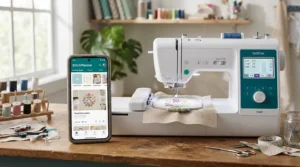
Getting a WiFi sewing machine talking to your network is usually straightforward, but a few habits save headaches. Here’s the order I’d follow:
- Check your signal. Put the machine within decent range of your router, and check the manual for supported network bands.
- Create accounts first. Brother owners need an Artspira account, Husqvarna Viking and PFAFF owners need a free mySewnet account, and PooLin EOC05 owners use Institch.
- Install desktop software. Brother’s Design Database Transfer is Windows-only per UK dealers, so Mac users go via USB or the mobile app.
- Stitch a test. Use scrap fabric, the right stabiliser and the right needle. The Wikipedia overview of sewing machine needles shows how ballpoint, embroidery and heavy-duty points differ, and matching one to your fabric prevents most puckering.
- Back up to USB. Wireless is convenient, but a stick in a labelled tin is still your safety net.
- Update firmware early. New machines often ship with older software.
The classic first-30-days mistakes are skipping the test stitch, dumping 400 unnamed files into one folder, and ignoring update prompts. Name your designs by project and you’ll thank yourself in March.
Real-World Scenarios: Matching WiFi Sewing Machines to Real Sewists
Specs are abstract, so here are four buyer profiles.
The student with a side hustle. With around £900 to spend and a plan to personalise hoodies and gifts, the PooLin EOC05 2-in-1 is the natural fit. Its maker positions it for personal projects rather than commercial mass production, so it suits hobby sales, not a bulk-order business.
The dressmaker who wants monograms. Sewing three or four evenings a week with occasional embroidery, at roughly £1,700, points to the Brother Innov-is F580. Its 7.4-inch workspace handles garments and its hoop fits neat monograms.
The quilter with embroidery curiosity. Working on bedspreads and cushion sets with £2,000–£2,500 to spend, the Brother Innov-is NV2700 makes sense. The 8.3-inch throat and included walking foot do the heavy lifting.
The already-equipped sewist. If you love your current sewing machine and want embroidery only, the Brother Innov-is NV880E avoids paying for sewing features you don’t need.
✨ Ready to Compare Current Prices?
🔍 Take your WiFi sewing machine shortlist to the next level with these carefully selected options. Click any highlighted machine name to check current pricing and availability. Prices may vary by seller, so it pays to compare!
Problem → Solution: Fixing Common WiFi Sewing Machine Headaches
- Problem: the machine won’t join your network. Move closer to the router, confirm the password and check the manual for supported network bands. Restart both devices before blaming the machine.
- Problem: you’re on a Mac. Brother’s desktop transfer software is Windows-only, so use USB or the Artspira mobile app. The PooLin EOC05 works with Institch, and Husqvarna Viking and PFAFF owners use mySewnet’s cloud and apps.
- Problem: the design puckers. WiFi isn’t the culprit. Try a heavier stabiliser, a fresh needle and a test on scrap before blaming the download.
- Problem: subscription fatigue. Free designs and open formats (PooLin EOC05 accepts DST and DSB) reduce dependence on a paid library. Decide your monthly ceiling before your free trial ends.
How to Choose a WiFi Sewing Machine (7 Steps)
- Decide what you’ll make. Plain garments need less than embroidered gifts, and WiFi matters most for embroidery.
- Confirm it sews. Two picks here embroider only or come in embroidery-only variants, so check before you buy.
- Check your computer. Brother’s desktop transfer software is Windows-only, which matters if you’re on a Mac.
- Measure your space. Workspace to the right of the needle (7.4 to 12 inches here) determines how easily you handle bulky fabric.
- Match the hoop to projects. 180 x 130 mm suits logos, while 360 x 240 mm suits jacket backs.
- Budget for extras. Subscriptions, digitising software, stabilisers and threads add up quickly.
- Check warranty and dealer support. Three to five years is common on higher-end Brother models, so ask about servicing.
Top WiFi-Enabled Sewing Machines for Pattern Downloads: Which Ecosystem Wins?
For the top WiFi-enabled sewing machines for pattern downloads, the ecosystem behind the machine matters as much as the hardware.
Brother’s Artspira offers phone-drawn designs and a downloadable library, with an optional Artspira+ subscription for premium features. mySewnet (Husqvarna Viking, PFAFF) offers cloud storage and a subscription library of thousands of designs streamed to the screen, with a 90-day free trial on the Ruby 90 and Icon 2. One quilting blogger’s guide notes that mySewnet’s WiFi syncing works only with mySewnet-enabled Husqvarna Viking or PFAFF machines. The PooLin EOC05 relies on Institch and open file formats.
My analytical take: choose the ecosystem you’d be happy living with for a decade. Subscriptions change, apps get redesigned, and switching brands later means abandoning your library.
WiFi-Enabled Sewing Machine for Tech-Savvy Sewists
A WiFi-enabled sewing machine for tech-savvy sewists should reward curiosity, not just tick a connectivity box. The most gadget-rich options here are the Brother Stellaire Innov-is XJ2, Husqvarna Viking Designer Ruby 90 and PFAFF Creative Icon 2.
The XJ2 offers phone-camera positioning and stitch monitoring. The Ruby 90 adds mySewMonitor alerts and photo-to-embroidery via QuickDesign. The Icon 2 goes furthest with AI foot detection, a projector and speech recognition. For those tempted by the lower tiers, the Brother Innov-is NV2700 offers wireless updates and Artspira on a smaller budget.
Before you buy, check app store ratings, how often updates land and what’s free versus paid. A sewing machine with a neglected app becomes a very expensive paperweight.
Downloadable Stitch Patterns: Where They Come From and What They Cost
Downloadable stitch patterns arrive from four main sources. The first is the built-in library, which is free. The second is brand libraries such as Artspira and mySewnet, which mix free content with paid tiers. The third is designs bought from independent digitisers, which vary widely in quality. The fourth is your own digitising, where software is usually a separate purchase.
Check which file formats your machine reads. The PooLin EOC05 accepts DST and DSB, while brand ecosystems may prefer their own formats. Always test purchased or free designs on scrap fabric first, because poorly digitised files can pucker or break threads regardless of your machine. And respect licences: many designers restrict commercial use, so read the terms before selling anything you’ve stitched.
App-Connected Sewing: What the Apps Actually Do
App-connected sewing sounds futuristic, but the apps have narrow, practical jobs:
- 📱 Artspira (Brother): draw simple designs and send them wirelessly.
- 📱 My Design Snap (Brother Stellaire Innov-is XJ2): photograph your hooped fabric for accurate placement.
- 📱 My Stitch Monitor (XJ2): get alerts for thread changes and finished projects.
- 📱 mySewMonitor and QuickDesign (Ruby 90): monitor progress and convert photos into designs.
Honestly, app-connected sewing pays off mainly for embroidery. For plain garment sewing, the apps add little today, so don’t let them drive a purchase.
Affordable Smart Machine: Where the Value Really Sits
An affordable smart machine doesn’t mean cheap. It means paying for connectivity you’ll use.
| Tier | Machine | What you’re paying for | Best For |
|---|---|---|---|
| Entry | PooLin EOC05 | Big screen, WiFi, open formats | Budget beginners |
| Embroidery add-on | Brother Innov-is NV880E | Dedicated embroidery, LED pointer | Existing sewists |
| Mid | Brother Innov-is F580 | Combo machine, Artspira | All-rounders |
| Step-up | Brother Innov-is NV2700 | Bigger workspace, quilting tools | Quilters |
At the time of research, the F580 looks like the best affordable smart machine from a mainstream brand. Do the sums: at roughly £1,700, stitching 100 projects over five years works out at about £17 each before thread. The PooLin EOC05 costs less up front but leans on a smaller support network, so weigh savings against peace of mind.
WiFi Sewing Machine vs Traditional Sewing Machine
Traditional machines do the fundamentals superbly and cost far less. A WiFi sewing machine earns its premium only when you embroider or love a connected workflow.
| Feature | WiFi sewing machine | Traditional machine | Best For |
|---|---|---|---|
| Design transfer | Wireless or USB | USB or none | Embroidery fans |
| Updates | Over WiFi | Rarely available | Long-term owners |
| Price | Around £800 and upward | Often far lower | Budget sewists |
| Learning curve | Higher (accounts, apps) | Lower | Beginners |
Looking at the comparison, a traditional machine wins for plain dressmaking and simplicity. Buy a WiFi sewing machine if embroidery is genuinely on your wishlist, because wireless transfer removes a real annoyance. Otherwise your money is better spent on a sturdier traditional machine.
Safety, Security and Regulations Guide
Any WiFi sewing machine is an internet-connected product, so treat it like one. UK law covers consumer smart devices, and the NCSC explains the Product Security and Telecommunications Infrastructure regime, which applies from 29 April 2024. It bars manufacturers from supplying devices with easily guessable default passwords. Whether a specific sewing machine falls within scope is a question for the manufacturer, but the practical advice holds regardless. If your machine or its app has a default password, change it. Use a strong password, such as three random words. If two-step verification is offered, turn it on. Keep firmware updated.
One more caution: avoid US-market listings. Several of these models appear in North American versions built for 120V mains, whereas UK sockets deliver 230V. Buy UK stock from UK sellers, check the plug and confirm UK warranty coverage before paying.
FAQ
❓ Can a WiFi sewing machine work without an internet connection?
❓ Are there subscription costs for downloadable stitch patterns?
❓ What is the cheapest WiFi sewing machine worth buying in the UK?
❓ Will a WiFi sewing machine work with a Mac?
❓ Is a WiFi sewing machine worth it for beginners?
Conclusion
A WiFi sewing machine isn’t for everyone, but for embroidery fans and gadget lovers it removes real friction. The PooLin EOC05 is the budget entry, the Brother Innov-is F580 the sensible all-rounder, and the Brother Innov-is NV2700 the quilter’s step-up. The Brother Innov-is NV880E suits those who only want embroidery. At the top, the Brother Stellaire Innov-is XJ2, Husqvarna Viking Designer Ruby 90 and PFAFF Creative Icon 2 are ecosystem-rich luxuries.
My advice: pick the machine whose apps, subscriptions and support you’d happily live with for years, and let the hardware follow. Test everything on scrap fabric, back up designs to USB and keep firmware current. Prices and availability shift, so check current listings before committing.
Recommended for You
- WiFi-Enabled Sewing Machine: 7 Best Picks (2026)
- Touchscreen Sewing Machines For Beginners: 7 Brilliant Picks (2026)
- Touchscreen Sewing Machine: 7 Best Picks Compared (2026)
Disclaimer: This article contains affiliate links. As an Amazon Associate, I earn from qualifying purchases. If you purchase products through these links, we may earn a small commission at no additional cost to you.
✨ Found this helpful? Share it with your friends! 💬🤗
