
In This Article
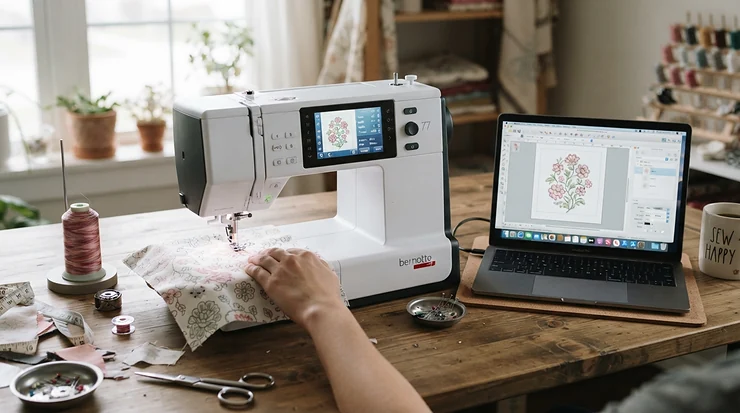
A WiFi-enabled sewing machine for small business use is a computerised sewing or embroidery machine that joins your wireless network. You can send, preview and monitor stitch files without passing USB sticks around. For a small business, the payoff is quicker file handling, fewer wrong-design disasters and an easier way to share work between people.
Picture it. It’s 9 p.m., twelve personalised tote bags are due on Friday, and the one USB stick holding every customer’s design has vanished. Coat pocket? Under the sofa? WiFi won’t make you a better embroiderer, but it removes a surprising number of small, time-eating irritations.
Wireless is a convenience layer, though, not a production engine. Machine embroidery has been a commercial process since multi-head machines appeared in the mid-1960s. What’s new is that home-priced machines now borrow connectivity tricks once reserved for factories. The question is whether those tricks pay for themselves in your workshop.
This guide compares seven real machines, from entry-level to six-needle, using manufacturer specifications, UK dealer information and published feature data gathered in October 2026. It isn’t based on hands-on testing, and it won’t pretend otherwise. What you get is analysis: what each spec means in practice, who each machine suits, and where the marketing runs ahead of reality. We’ll also cover embroidery files, classrooms, team sharing and the tools that sit around the machine.
Quick comparison: 7 WiFi-enabled sewing machines for small business use at a glance
| Machine | Type | Embroidery area | Wireless tool | Price range | Best For |
|---|---|---|---|---|---|
| Brother Innov-is M330e | Embroidery only | 100 x 100 mm | WiFi + Artspira app | Around £900 | Testing a personalisation idea cheaply |
| Singer SE9185 | Sewing + embroidery | 170 x 100 mm | mySewnet | £800-£900 | Makers who sew and embroider on one budget |
| Brother Innov-is F540E | Embroidery only | 180 x 130 mm | Wireless LAN + Artspira | £1,100-£1,200 | Growing online shops |
| Brother Innov-is NV880E | Embroidery only | 260 x 160 mm | WiFi PC transfer + Artspira | £1,450-£1,600 | Best all-round step up |
| Husqvarna Viking Designer Topaz 65 | Sewing + embroidery | 360 x 200 mm | CREATIVATE | Mid-£3,000s | Boutique garments and large designs |
| Brother PR680W | 6-needle embroidery | 300 x 200 mm | Wireless LAN | £6,500-£7,000 | Batch and repeat orders |
| Janome Memory Craft 15000 v2 | Sewing + embroidery | Up to 230 x 300 mm | Built-in WiFi + Janome apps | £7,000-£8,000 | Premium quilting and apparel studios |
Prices are indicative ranges at the time of research and may vary by retailer. Check whether a quote includes VAT. Looking at the table, the Brother Innov-is NV880E is the pivot point. Below it you trade hoop size for price, and above it you’re paying for sewing sophistication or multi-needle throughput. The Brother PR680W is the only machine here that tackles the thread-change bottleneck directly, while the Singer SE9185 is the only sub-£1,000 option that also sews.
💬 Just one click — help others make better buying decisions too!😊
Top 7 WiFi-enabled sewing machines for small business use: expert analysis
Each machine below is judged on what the specs mean for paid work, not on how they read on a box. Availability on Amazon UK varies by seller and model, so confirm the exact model number, UK plug and warranty terms before buying.
1. Brother Innov-is M330e — the low-risk wireless starter
Most small businesses need proof that a product sells before they need a flagship, and the Brother Innov-is M330e suits that experiment. It’s embroidery-only, with a 100 x 100 mm field, 11 built-in fonts and a wireless connection for loading extra designs or linking to Brother’s Artspira app. That square comfortably holds a left-chest logo, a bib motif or a name on a pencil case, but not a jacket-back crest.
On paper, this is a market-testing tool. It can’t sew, so you’ll need a second machine for construction. The hoop size also caps your product range, and the day you decline a job because it won’t fit is the day you’ve outgrown it. Retailer listings show a high average score from only a handful of reviews. That sample is too small to call a consensus, so treat it as encouraging but unproven.
Pros:
- ✅ Wireless loading without a USB stick
- ✅ Artspira app for drawing and downloading designs
- ✅ Compact and easy to learn
Cons:
- ❌ 100 mm hoop limits product range
- ❌ No sewing function at all
Price: around £900. It’s fair for a connected starter, but compare it with the larger-hoop Brother Innov-is F540E first.
2. Singer SE9185 — sewing and embroidery on one modest budget
The Singer SE9185 is the budget route if you make sewn goods and want to add monograms or motifs. It pairs a 7-inch touchscreen with 250+ stitches, 150 built-in embroidery designs, 10 fonts and a 170 x 100 mm hoop. Its mySewnet connectivity lets compatible devices transfer designs, monitor progress and browse a design library on screen. A regional Singer listing mentions a 90-day trial of embroidery software, so check UK terms before assuming it’s included.
The stated speeds are 800 stitches per minute for sewing and 450 for embroidery. That slower embroidery pace, roughly half of some rivals, will matter once orders stack up. One regional listing also describes a domestic-duty motor that runs about six hours before needing two hours’ rest. That’s a sensible ceiling for a part-time seller, not a daily workhorse.
Reviewers: I couldn’t verify a deep pool of independent UK owner reviews, so judge it on specifications and read current Amazon UK reviews yourself.
Pros:
- ✅ One machine covers sewing and embroidery
- ✅ Large, clear 7-inch touchscreen
- ✅ Light enough for craft-fair transport
Cons:
- ❌ Slow embroidery speed for batches
- ❌ Domestic duty cycle limits heavy use
Price: around £800-£900. Strong value for makers who sew first and embroider second.
3. Brother Innov-is F540E — a bigger hoop without a big bill
The Brother Innov-is F540E is where wireless embroidery starts to feel like a business tool. It has a 180 x 130 mm area, 193 built-in designs, 13 fonts and a colour touchscreen. Wireless LAN transfer and Artspira connection are included, along with on-screen resizing, rotating, mirroring and combining.
That hoop is roughly seven inches wide, which covers tote-bag motifs, cushion corners and chest logos with a line of text. That suits the Etsy-style personalisation market, where most orders are names, dates and small crests. Based on the spec comparison, it’s the point where you stop turning away mid-sized jobs.
Reviewers: this model mostly appears in dealer listings, and I found little independent UK owner commentary to summarise honestly. Treat marketing copy as marketing copy, and check live reviews before you buy.
Pros:
- ✅ 180 x 130 mm covers most gift-sized designs
- ✅ Wireless LAN plus Artspira connection
- ✅ 13 fonts suit name and date work
Cons:
- ❌ Still a single needle, so manual colour changes
- ❌ No sewing capability
Price: around £1,100-£1,200. It’s good value for a shop with steady weekly orders, though the Brother Innov-is NV880E offers noticeably more space.
4. Brother Innov-is NV880E — the best-balanced step up
The Brother Innov-is NV880E earns its place by being the sensible middle. It has a 260 x 160 mm area, 258 built-in designs, 13 lettering styles, an 850 stitches-per-minute ceiling, a 4.9-inch colour touchscreen and three hoops in the box. An LED-pointer embroidery foot helps with placement, and designs can be sent wirelessly from a PC over your home WiFi.
That 260 mm width handles large chest crests, tea towels, cushion fronts and sizeable bag panels without re-hooping. Re-hooping is where misalignment creeps in, so fewer re-hoops means fewer rejects. One UK dealer lists a three-year warranty with only one year for commercial use. Read that twice: the machine is built for serious hobbyists, and using it for paid work shortens your cover.
Reviewers: I didn’t find enough verifiable independent reviews to summarise, so check current buyer feedback for recurring themes.
Pros:
- ✅ Large 260 x 160 mm embroidery area
- ✅ Three hoops included in the box
- ✅ Wireless PC transfer and updates
Cons:
- ❌ Commercial use cuts warranty to one year
- ❌ Single needle limits multicolour speed
Price: around £1,450-£1,600. Best value here for anyone selling regularly.
5. Husqvarna Viking Designer Topaz 65 — sewing sophistication plus a very large hoop
The Husqvarna Viking Designer Topaz 65 is for people who sew garments and embroider them. It has 470 stitches up to 7 mm wide, 340 built-in designs, 8 embroidery fonts, a 7-inch touchscreen, and a 360 x 200 mm Royal Hoop plus a 120 x 120 mm hoop. It stitches at up to 850 stitches per minute. CREATIVATE connectivity handles wireless design transfer and updates, though some features require a paid membership.
That 360 mm hoop is the big draw. You can place a wide sweatshirt-chest design or a run of repeating border motifs in one pass. The sensor system adjusts fabric feed and foot pressure automatically, which matters when you’re moving between lightweight cotton and thick layers in the same afternoon. At the time of research, one UK dealer listed it as out of stock, so confirm availability before planning around it.
Reviewers: verified independent review data was thin, so I won’t characterise sentiment.
Pros:
- ✅ Very large 360 x 200 mm hoop
- ✅ Strong sewing features alongside embroidery
- ✅ Guided settings via JoyOS Advisor
Cons:
- ❌ Some wireless features need paid membership
- ❌ Premium price for a single-needle machine
Price: mid-£3,000s. It’s worthwhile if sewn-and-embroidered garments are your product.
6. Brother PR680W — six needles built for batches
The Brother PR680W is the first machine here where “production” isn’t a euphemism. It carries six needles, a 300 x 200 mm area, a rated top speed of 1,000 stitches per minute and wireless LAN capability. A crosshair laser droplight shows where the needle will land, with stated accuracy of about 0.5 mm. Upper and lower thread trimmers cut finishing time.
Six pre-threaded colours mean a four-colour logo runs without stopping to swap thread. Add administrator and operator lock modes, and you can restrict what staff change on the machine. Honest caveat: one UK supplier lists a one-year return-to-base warranty, and an optional stand costs several hundred pounds extra. Budget for both.
Reviewers: dealer and digitising-service pages call it a strong upgrade from single-needle machines. Those are commercial sources, so weigh them accordingly.
Pros:
- ✅ Six needles remove colour-change stops
- ✅ Lock modes protect settings and designs
- ✅ Laser droplight speeds accurate placement
Cons:
- ❌ Large outlay plus stand
- ❌ Embroidery only, no sewing
Price: around £6,500-£7,000, possibly ex VAT. It pays off for repeat orders, not for occasional ones.
7. Janome Memory Craft 15000 v2 — the flagship for sewing, quilting and embroidery
The Janome Memory Craft 15000 v2 is a studio centrepiece. It offers built-in WiFi for transferring designs, fine-tuning placement and monitoring stitching. Janome’s apps include AcuMonitor and AcuEdit for watching and editing from a tablet. It has 510 stitches, 480 designs plus 10 fonts, an embroidery area up to 230 x 300 mm and a rated 1,000 stitches per minute. Combined designs can reach a total stitch count of up to 200,000.
That stitch-count headroom suits large, dense, multi-part projects like quilted panels or heavily embellished apparel. It remains a single-needle machine, though. Speed is high, but colour changes are still manual, which is the real difference between a flagship hobby machine and the Brother PR680W.
Reviewers: I couldn’t verify enough independent UK reviews to summarise confidently.
Pros:
- ✅ Huge work area for sewing and embroidery
- ✅ Built-in WiFi with dedicated monitoring apps
- ✅ Very high combined stitch-count capacity
Cons:
- ❌ Highest price of any combo machine here
- ❌ Single needle despite the premium cost
Price: around £7,000-£8,000. It’s brilliant for premium sewing studios, but poor value if throughput is your only goal.
Practical guide: your first 30 days with a WiFi-enabled sewing machine for small business use
Getting the setup right early prevents most wireless headaches.
- Week one: network and files. Connect the machine using your router’s 2.4 GHz band if your manual says that’s what it supports, since many appliance WiFi chips ignore 5 GHz. Install any firmware updates, then create a clearly named folder system for designs (customer, date, order number).
- Week one: test stitch-outs. Run every new design on scrap fabric with the stabiliser you’ll actually use. A design that looks fine on screen can pucker on stretch fabric.
- Week two: routines. Clean the bobbin area at every bobbin change, and follow your manual for oiling, since requirements vary by model. Keep spare needles and bobbins together so a break costs two minutes, not twenty.
- Week three: speed discipline. Slow the machine down for dense designs. Maximum speed ratings are ceilings, not targets, and thread breaks cost more time than they save.
- Week four: back-up habit. Keep a second copy of every customer file off the machine. Wireless transfer isn’t storage.
The most common first-month mistakes are the wrong stabiliser for the fabric, rushed hooping, and trusting an on-screen preview without a test run. Fix those three and your reject rate drops quickly.
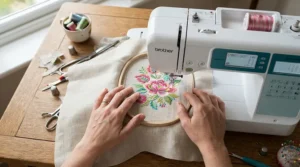
Real-world scenarios: matching machines to three small businesses
Here are three hypothetical profiles, with the reasoning laid out for each.
The weekend maker (budget under £1,000, around 5-10 items a week). She sells names on bags and bibs at craft fairs. The Brother Innov-is M330e keeps costs down, while the Singer SE9185 adds sewing if she also makes the bags. Her limit is hoop size, so she should only accept small designs.
The online personalisation shop (budget £1,100-£1,600, 20-40 orders a week). He sells tea towels, tote bags and cushion covers. The Brother Innov-is NV880E gives him a 260 x 160 mm area and wireless PC transfer, so files go straight from order spreadsheet to machine. The Brother Innov-is F540E works if his designs stay smaller.
The workwear micro-business (budget £6,500+, 30+ garments per batch). Repeat logo orders mean colour changes dominate his time. The Brother PR680W loads six colours once and runs the batch, and its lock modes let a part-time helper operate it safely.
A fourth case needs a different answer: a garment maker who sews her own pieces. The Husqvarna Viking Designer Topaz 65 or Janome Memory Craft 15000 v2 keep sewing and embroidery in one workflow, which saves bench space and handling.
Problem → solution: five WiFi sewing machine headaches
- The machine won’t connect. Check the band first (many models need 2.4 GHz), then router distance and password characters. Temporarily using a phone hotspot is a quick diagnostic.
- The file won’t load. Brands read different formats. Confirm your machine’s accepted file type, and convert files with the manufacturer’s software or a trusted converter.
- Thread keeps breaking. Rewind the needle thread, change to a fresh embroidery needle, reduce speed, and check that the design isn’t overly dense for the fabric.
- Puckered fabric. Use a heavier stabiliser, hoop without stretching, and test on scrap. Puckering is usually a preparation problem, not a machine fault.
- Someone overwrote a design. Use dated folder names, never edit the original file, and on machines with lock modes such as the Brother PR680W, restrict who can change settings.
How to choose a WiFi-enabled sewing machine for small business use
Here are seven steps that keep the decision grounded. For brand-agnostic buying principles, Which?’s sewing machine advice guides are a useful independent starting point.
- Define your biggest product first. The largest item you plan to sell sets your minimum hoop size, so measure it before you shop.
- Decide if you need to sew. If yes, shortlist combo machines like the Singer SE9185. If not, embroidery-only machines give more hoop for the money.
- Count your colours. Multicolour logos on repeat orders justify multi-needle machines; occasional ones don’t.
- Check the warranty clause on commercial use. It can be a year shorter than the headline.
- Confirm file formats and software. Make sure your machine reads the formats your digitiser or design source supplies.
- Test the wireless workflow. Ask whether features need a paid membership, such as parts of CREATIVATE on the Husqvarna Viking Designer Topaz 65.
- Price the whole kit. Stands, hoops, stabiliser and software can add hundreds.
WiFi-enabled sewing machine for embroidery designs: what wireless really changes
A WiFi-enabled sewing machine for embroidery designs removes the courier step between your computer and your needle. You finish a design, send it, and stitch. Apps like Artspira, mySewnet and Janome’s AcuEdit also let you draw or edit on a phone or tablet. Convenient, but the stitching quality still depends on digitising, stabiliser and hooping.
| Factor | WiFi transfer | USB stick |
|---|---|---|
| Loading speed | Send from desk without leaving your seat | Walk the stick to the machine every time |
| Error risk | Fewer lost sticks; network glitches can interrupt | Sticks get lost, corrupted or mixed up |
| More than one person or machine | Easier to share from one source | Needs multiple sticks |
| Setup effort | Network and app setup required | Plug in and go |
| Best For | Repeat orders and shared workshops | Occasional single-machine makers |
Wireless wins when you stitch repeat designs or share a workspace, because the time saved compounds. For a maker doing a handful of one-off items a month, USB remains perfectly respectable. The sensible question is how many times a week you’d currently be fetching that stick.
WiFi sewing machine for classroom or workshop use
A WiFi sewing machine for classroom or workshop use sounds ideal: students send designs from their own devices and the teacher monitors the queue. Reality is more complicated. A published guide from one university makerspace notes that its institutional network wouldn’t connect to the machine, so each user tethers via a phone hotspot to transfer files. That’s a useful warning for UK schools and colleges, where networks often use authentication that appliance-grade WiFi doesn’t support. Check with IT before buying.
Practical advice: choose a model with both wireless and USB so lessons never depend on the network. The Brother Innov-is F540E and Brother Innov-is NV880E give you wireless and a USB port as a fallback. A dedicated router or phone hotspot may solve connection problems without touching the main network. For shared workshops, the lock modes on the Brother PR680W help control who changes what. Finally, set simple file-naming rules so students’ designs don’t collide in the machine’s memory.
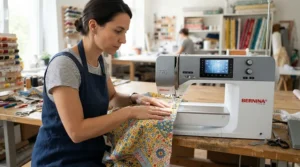
Production efficiency: where wireless saves real minutes
Production efficiency depends on four things: stitch time, colour changes, hooping and file handling. WiFi only touches the last one. A 5,000-stitch design at a theoretical 450 stitches per minute, the Singer SE9185‘s embroidery speed, takes about 11 minutes of pure stitching. At 850 (Brother Innov-is NV880E) it’s about 6 minutes, and at 1,000 (Brother PR680W) about 5. Real throughput is lower because machines slow for dense areas and stop for trims.
Colour changes matter even more. On a single-needle machine, a four-colour logo needs you at the machine for each swap. The Brother PR680W pre-loads colours and runs unattended between hooping. So WiFi saves minutes of handling per job, while multi-needle design saves minutes of attention per job. If you’re doing 30 jobs a week, the second matters far more.
The honest conclusion: buy wireless for convenience and file safety, buy speed and needle count for throughput, and don’t let one masquerade as the other.
Multi-user design sharing: keeping a team on the same file
Multi-user design sharing is where wireless earns its keep in a small team. One person digitises, another prepares fabric, a third runs the machine, and the file needs to land correctly every time. Cloud-style ecosystems like Artspira, mySewnet and CREATIVATE let compatible devices exchange designs, and the Brother PR680W adds administrator and operator lock modes so only the right person alters settings.
Three practical rules help. Keep a single master folder as the source of truth, so no one stitches from an old copy. Name files with order number and version. And check licences on bought designs, since many designers restrict commercial use or require attribution. Selling an item doesn’t automatically permit using a design commercially.
✨ Ready to compare current prices?
🔍 Take your embroidery business to the next level with these carefully selected machines. Click on any highlighted product to check current pricing and availability. They’ll help you create professional-looking personalised products your customers will love!
Small craft business tools: what to budget for beyond the machine
The machine is rarely the whole bill. Small craft business tools worth budgeting for include stabilisers in several weights, embroidery needles, spare bobbins, quality thread, extra hoops and, if you digitise your own designs, software. Some retailers bundle software with certain Brother machines, so check what’s actually included.
| Business stage | Sensible tier | Machine budget | Best For |
|---|---|---|---|
| Testing the market | Brother Innov-is M330e or Singer SE9185 | £800-£900 | Proving demand cheaply |
| Steady side income | Brother Innov-is F540E or Brother Innov-is NV880E | £1,100-£1,600 | Weekly orders |
| Boutique garments | Husqvarna Viking Designer Topaz 65 | Mid-£3,000s | Sewn plus embroidered pieces |
| Batch production | Brother PR680W or Janome Memory Craft 15000 v2 | £6,500-£8,000 | Repeat commercial runs |
Here’s a simple illustration, not a forecast. If a machine costs £1,500 and each embroidered item makes £8 profit after materials, you’d need around 190 items to recover the purchase. That’s before your time, which is the real cost. This is why the tier matters: overbuying delays payback, underbuying turns away work.
If you’re trading, check GOV.UK’s guide to setting up as a sole trader, including how the £1,000 trading allowance works. Rules change, so verify current figures.
Common mistakes when buying a WiFi-enabled sewing machine for small business use
- Buying on design count. Hundreds of built-in designs matter less than hoop size and your own files.
- Assuming WiFi means commercial-grade. Wireless is connectivity, not durability. Check duty-cycle statements and warranty terms.
- Ignoring file formats. A machine that can’t read your designer’s files costs time in conversion.
- Forgetting running costs. Stabiliser, needles and thread add up, and so does servicing.
- Skipping record-keeping. Keep receipts for machine and materials, and follow GOV.UK’s guidance on self-employed records from day one.
FAQ
❓ Is a WiFi sewing machine worth it for a small business?
❓ Can I use a home embroidery machine for paid orders?
❓ Do WiFi embroidery machines need a subscription?
❓ Which file formats work with WiFi embroidery machines?
❓ Do I need to register as self-employed to sell embroidered items?
Conclusion
Choosing a WiFi-enabled sewing machine for small business use comes down to your biggest product, your colour count and your weekly volume. If you’re testing demand, the Brother Innov-is M330e or Singer SE9185 keep risk low. For most growing shops, the Brother Innov-is NV880E offers the strongest balance of hoop size and wireless convenience, with the Brother Innov-is F540E as a smaller-hoop alternative. Garment makers who sew should look at the Husqvarna Viking Designer Topaz 65 or Janome Memory Craft 15000 v2, and repeat-order businesses should consider the Brother PR680W for its six needles and lock modes.
Remember the central point: WiFi tidies your workflow, but hoop size, needle count, stabiliser and your own preparation decide your output. Check warranty wording for commercial use, price the full kit, and confirm UK availability before you commit.
Recommended for You
- WiFi Sewing Machine: 7 Best Picks For UK Sewists (2026)
- WiFi-Enabled Sewing Machine: 7 Best Picks (2026)
- Touchscreen Sewing Machines For Beginners: 7 Brilliant Picks (2026)
Disclaimer: This article contains affiliate links. As an Amazon Associate, I earn from qualifying purchases. If you purchase products through these links, we may earn a small commission at no additional cost to you.
✨ Found this helpful? Share it with your friends! 💬🤗
