
In This Article
There’s a particular kind of relief that comes from tapping a stitch icon instead of squinting at a tiny dial and hoping you’ve landed on “satin scallop” rather than “buttonhole reinforcement.” That relief is exactly why the touchscreen sewing machine has quietly taken over the mid-to-premium end of the market. A touchscreen sewing machine is a computerised machine that replaces (or supplements) physical buttons and dials with an on-screen display you tap or swipe to select stitches, adjust width and length, and preview your work before the needle drops…
If you learned to sew on a machine with a stitch dial and a couple of stubborn buttons, the jump to a screen can feel like moving from a flip phone to a smartphone: exciting, slightly intimidating, and genuinely useful once you know what you’re looking at. This guide walks through seven real machines currently sold in the UK, spanning entry-level touchscreen models through to genuine flagship territory, and it does so with an eye firmly on what the screen actually changes about how you sew — not just what the spec sheet claims. According to Wikipedia’s overview of sewing machine development, computerised control has been the dominant direction of the industry since the 1970s, and the touchscreen is really just the latest, most intuitive expression of that trend. We’ll cover stitch preview displays, how screen size affects usability, and the genuinely divisive question of touchscreen versus button controls — because for some sewists, buttons still win, and we’re not going to pretend otherwise.
This article contains affiliate links, and full disclosure sits at the bottom of the page. Nothing here is based on hands-on testing of every unit; instead, it’s built from manufacturer specifications, published documentation, and aggregated review sentiment from real buyers, clearly flagged as such throughout. Let’s get into it.
Wikipedia’s overview of sewing machine development
Quick Comparison Table
| Machine | Screen Size | Best For | Price Range |
|---|---|---|---|
| Husqvarna Viking Opal 670 | Monochrome touch, graphic display | Budget entry into touchscreen | £650-£750 |
| SINGER Quantum Stylist Touch 9985 | Colour LCD touch | Huge stitch library on a budget | £800-£900 |
| Brother Innov-is F560 | 3.7″ colour touch | All-round dressmaking & quilting | £850-£950 |
| Husqvarna Viking Opal 690Q | Monochrome touch with stylus | Automated guidance (Sewing Advisor) | £900-£1,000 |
| Brother Innov-is 1250 | LCD touch | Sewing + light embroidery combo | £1,000-£1,200 |
| Janome Continental M7 Professional | 7″ HD colour touch | Speed & throat space for quilters | £2,900-£3,300 |
| Brother Innov-is V5LE | Colour touch | Large-field embroidery + sewing | £3,200-£3,600 |
Looking at the spread above, the jump in capability from the Husqvarna Viking Opal 670 to the Brother Innov-is V5LE isn’t really about the screen getting bigger, even though it does — it’s about what the screen is managing behind the scenes. A budget touchscreen model uses its display mostly for stitch selection and length/width readouts, while the flagship machines use theirs to run automated pressure sensing, embroidery design editing, and multi-step guidance. Anyone buying purely for garment sewing and the occasional quilt will find the sweet spot somewhere in the middle three machines rather than at either extreme.
💬 Just one click — help others make better buying decisions too!😊
Top 7 Touchscreen Sewing Machines: Expert Analysis
1. Husqvarna Viking Opal 670 — best entry point into touchscreen sewing
The Husqvarna Viking Opal 670 is where most people’s touchscreen journey actually begins, and there’s a good reason for that. Its touchscreen displays your selected stitch, the recommended presser foot, and needle position in real size before you commit a single stitch to fabric — a small thing that saves an enormous amount of unpicking for anyone still learning to read stitch charts.
Under the hood you get 200 stitches, four alphabets, and the brand’s Sewing Advisor feature, which sets length, width and tension automatically once you tell it what fabric and technique you’re using. Based on the spec comparison with mechanical machines in this price band, that automation genuinely closes the skill gap for newer sewists rather than just being a gimmick bolted onto the box.
Reviewers consistently report that the automatic thread cutter and bobbin sensor are the two features people say they’d miss most if they went back to an older machine, while a recurring theme in feedback is that the workspace, while generous for garment work, feels tight once you start quilting anything larger than a lap quilt.
Pros:
- ✅ Touchscreen shows real-size stitch and setting previews
- ✅ Sewing Advisor automates tension for beginners
- ✅ Automatic thread cutter and bobbin sensor included
Cons:
- ❌ Workspace is snug for larger quilting projects
- ❌ Monochrome screen feels basic next to colour rivals
At around £650-£750, this sits at the affordable end of the touchscreen category rather than the sewing machine market as a whole, and for anyone who wants automated guidance without paying for embroidery or a bigger screen, it’s a genuinely sound value pick.
2. SINGER Quantum Stylist Touch 9985 — best stitch library for the money
Few machines in this price bracket throw as many numbers at you as the SINGER Quantum Stylist Touch 9985, and for once the number is worth paying attention to: over 960 built-in stitches, including six alphabet styles and thirteen one-step buttonholes. What most buyers overlook about a stitch count this high is that it’s less about using all 960 and more about never hitting a wall on an unusual project — reinforced buttonholes for coat fabric, heirloom stitches for a christening gown, whatever comes up.
The colour touchscreen displays stitch length, width, tension and recommended foot together, and a built-in sewing assistant with audible prompts talks you through bobbin winding and threading, which is a genuinely thoughtful touch for anyone without a sewing-savvy relative on speed dial.
Aggregated customer feedback consistently praises the automatic needle threader’s speed, with several reviewers noting they can thread the entire machine in a matter of seconds; a recurring complaint, though, is that the metal frame makes it noticeably heavier than comparable Brother models, which matters if you’re moving it to classes.
Pros:
- ✅ 960+ stitches cover almost any project type
- ✅ Built-in audible sewing assistant for beginners
- ✅ Fast automatic needle threader
Cons:
- ❌ Heavier than comparable machines in its class
- ❌ Some reviewers find the stitch menu overwhelming at first
Priced in the £800-£900 range, the SINGER Quantum Stylist Touch 9985 delivers more raw stitch variety per pound than almost anything else on this list, making it the value pick for anyone who sews a genuinely broad range of projects.
3. Brother Innov-is F560 — best all-rounder for dressmaking and quilting
The Brother Innov-is F560 is the machine that keeps coming up in “best all-round” conversations, and its 3.7-inch colour touchscreen is a big part of why. It’s large enough to show a decorative stitch clearly before you commit to it, and Brother’s on-screen editing lets you flip, repeat and combine stitches directly on the display rather than hunting through a paper manual.
The 241 built-in stitches include ten one-step buttonholes and five lettering fonts, and the machine’s Square Feed Drive System is engineered to keep multiple fabric layers moving evenly — the sort of detail that matters enormously the first time you’re quilting through batting and backing and not at all until then. Here’s what to weigh: the sideways, four-directional feed is a genuine differentiator for decorative stitching and monogramming, letting you sew crisp patterns without constantly repositioning the hoop or fabric by hand.
Reviewers frequently single out the knee lift as a quality-of-life feature that free-motion quilters in particular come to rely on, while a smaller subset note the 7.4-inch workspace, though roomy for dressmaking, still lags behind dedicated quilting machines.
Pros:
- ✅ Four-directional feed for precise decorative stitching
- ✅ On-screen editing to flip, repeat and combine stitches
- ✅ Knee lift included for hands-free presser foot control
Cons:
- ❌ Workspace smaller than dedicated quilting machines
- ❌ Hard case adds bulk for regular transport
Sitting in the £850-£950 range, the Brother Innov-is F560 earns its “all-rounder” reputation honestly — it’s difficult to find a common sewing task it handles poorly.
4. Husqvarna Viking Opal 690Q — best automated sewing guidance
Where the Opal 670 introduces touchscreen automation, the Husqvarna Viking Opal 690Q pushes it further, and the stylus included in the box is a small but telling sign of how seriously the brand takes screen precision. This machine’s Exclusive Sensor System continuously reads fabric thickness and adjusts presser foot pressure as you sew, while the bobbin thread sensor and automatic thread cutter handle two of the most fiddly manual tasks in sewing without you lifting a finger.
On paper this means less mid-seam interruption and more consistent stitch quality across changing fabric thickness — genuinely useful if your projects swing between quilting cotton one day and denim the next. The 208 stitches and up-to-7mm stitch width give it real decorative range, and the touchscreen displays every active setting alongside the recommended foot, so there’s rarely any guessing involved.
A common thread in customer feedback is appreciation for the sensor foot lift’s four positions, which quilters say meaningfully reduces hand fatigue on long sessions; the recurring gripe is that the monochrome screen, while informative, looks dated next to full-colour rivals at a similar price.
Pros:
- ✅ Sensor system auto-adjusts to fabric thickness
- ✅ Bobbin thread sensor prevents mid-seam surprises
- ✅ Four-position sensor foot lift reduces hand fatigue
Cons:
- ❌ Monochrome touchscreen looks dated versus colour rivals
- ❌ Premium automation pushes price above entry-level touchscreens
At roughly £900-£1,000, the Husqvarna Viking Opal 690Q targets sewists who want the machine actively managing variables for them, and on that specific promise, it delivers.
5. Brother Innov-is 1250 — best for combining sewing and embroidery
Step up to the Brother Innov-is 1250 and you’re no longer just choosing stitches — you’re editing embroidery designs directly on an LCD touchscreen, with rotation in one-degree increments, mirroring, and zoom controls all handled by tapping the display rather than juggling a separate PC program. With 133 stitch combinations, three alphabets, ten buttonhole variants and 136 programmed embroidery designs across a 180 x 130mm hoop area, this is squarely aimed at sewists who want one machine to handle garment construction and personalised embroidery without owning two separate units.
What most buyers overlook about combo machines at this level is how much of the workflow genuinely lives on the screen: motif access via USB, automatic thread cutting, and yarn table selection are all screen-driven rather than button-driven, which is precisely the trade-off you’re paying for.
Reviewers consistently note the automatic winding function saves real time across long embroidery sessions, while a fair number flag that the embroidery area, though generous for monograms and small motifs, will feel limiting if your ambitions run toward full-panel designs.
Pros:
- ✅ On-screen embroidery editing with rotation and mirroring
- ✅ 136 built-in embroidery designs plus USB motif access
- ✅ Combines full sewing function with embroidery in one unit
Cons:
- ❌ 180 x 130mm hoop limits larger embroidery projects
- ❌ Steeper learning curve than sewing-only machines
Priced around £1,000-£1,200, the Brother Innov-is 1250 represents genuinely strong value for anyone who’d otherwise be pricing up two separate machines.
6. Janome Continental M7 Professional — fastest drop-in bobbin machine in its class
The Janome Continental M7 Professional is where this list moves from “computerised sewing machine” into something closer to a workhorse built for volume. Its 7-inch high-definition colour touchscreen is genuinely huge by sewing machine standards, ergonomically angled so you’re not craning your neck to read it mid-seam, and it’s paired with a brushless DC motor capable of 1,300 stitches per minute — Janome markets it as the fastest drop-in bobbin home machine currently available, and the spec sheet backs that claim up.
Based on the spec comparison with the rest of this list, the standout feature isn’t the speed alone but the computerised needle plate conversion, which lets you swap plates without a screwdriver — a detail aimed squarely at quilters who switch between straight-stitch and zigzag setups mid-project. The full metal frame and Janome’s vibration suppression engineering are the kind of build-quality details that don’t show up on a spec sheet comparison but matter enormously over a decade of heavy use.
Aggregated reviews consistently praise the sewing space as the largest in its class, giving genuine room to manoeuvre bulky quilts; the trade-off reviewers flag most often is the machine’s considerable weight, which makes it a stay-on-the-table proposition rather than a portable one.
Pros:
- ✅ 7″ HD touchscreen with genuinely legible layout
- ✅ 1,300 stitches-per-minute brushless motor
- ✅ Tool-free needle plate conversion for quilters
Cons:
- ❌ Heavy, best suited to a permanent sewing space
- ❌ Premium price puts it out of reach for casual sewists
At around £2,900-£3,300, the Janome Continental M7 Professional is a considered investment rather than an impulse buy, and it’s built for sewists who already know exactly why they need this much machine.
7. Brother Innov-is V5LE — best large-field embroidery with sewing built in
Rounding out the list at the premium end, the Brother Innov-is V5LE pairs over 500 built-in utility and decorative stitches with a genuinely large 200 x 300mm embroidery field, which puts full-panel and multi-hoop designs within reach rather than restricting you to small monograms. Its continuous automatic pressure system reads fabric thickness as you sew and adjusts on the fly, keeping stitch quality consistent even when you’re stacking quilting layers, and the auto presser foot lift is the sort of feature that sounds minor until you’ve sewn a long seam without needing to touch a lever.
What most buyers overlook about a machine at this price is how much of the value sits in the embroidery software ecosystem around it — Brother’s design transfer tools and generous hoop options mean the machine keeps pace with your ambitions rather than capping them early. Based on the spec comparison with the rest of this list’s combo machines, the throat space and embroidery field here comfortably outclass the Brother Innov-is 1250, which explains roughly triple the asking price.
Reviewers who’ve moved up from smaller combo machines consistently describe the jump in embroidery field size as transformative for garment-back designs and quilt labels; the honest downside, repeated often, is that this is a genuinely large financial commitment for anyone not already committed to embroidery as a serious hobby.
Pros:
- ✅ 200 x 300mm embroidery field for full-panel designs
- ✅ Continuous automatic pressure system for consistent stitching
- ✅ Auto presser foot lift for hands-free seam control
Cons:
- ❌ Significant investment relative to sewing-only machines
- ❌ Overkill for buyers who don’t plan to embroider seriously
At £3,200-£3,600, the Brother Innov-is V5LE is aimed squarely at ambitious embroiderers who also want proper sewing performance in the same box, rather than at anyone dabbling.
Full Spec & Value Comparison
| Machine | Stitches | Screen | Price Range | Best For |
|---|---|---|---|---|
| Husqvarna Viking Opal 670 | 200 | Mono touch | £650-£750 | New touchscreen buyers |
| SINGER Quantum Stylist Touch 9985 | 960+ | Colour touch | £800-£900 | Stitch variety on a budget |
| Brother Innov-is F560 | 241 | 3.7″ colour touch | £850-£950 | Dressmaking & light quilting |
| Husqvarna Viking Opal 690Q | 208 | Mono touch + stylus | £900-£1,000 | Automated fabric sensing |
| Brother Innov-is 1250 | 133 + embroidery | LCD touch | £1,000-£1,200 | Sewing/embroidery combo |
| Janome Continental M7 Pro | High-speed utility range | 7″ HD colour touch | £2,900-£3,300 | Heavy quilting volume |
| Brother Innov-is V5LE | 500+ + embroidery | Colour touch | £3,200-£3,600 | Large-field embroidery |
The clearest pattern in this table is that stitch count and price don’t move in lockstep — the SINGER Quantum Stylist Touch 9985 packs more raw stitches than machines costing three times as much, because those pricier machines are charging for screen size, motor speed and embroidery hardware rather than stitch variety. If your priority is genuinely broad stitch access on a modest budget, that’s worth sitting with for a moment before assuming “more expensive” automatically means “more capable” for your specific projects.
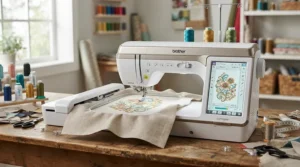
Practical Usage Guide: Getting the Most from Your Touchscreen Sewing Machine
The first thirty days with a new touchscreen sewing machine are where most avoidable frustration happens, and almost all of it comes down to skipping the on-screen calibration steps in favour of just diving into a project. Start by running the machine’s built-in threading and tension guide before you sew anything real — most touchscreen models walk you through this on the display itself, and it takes five minutes that will save you an afternoon of unpicking later. Clean the bobbin case and feed dogs monthly if you sew regularly; lint builds up invisibly around the touchscreen’s sensors on some models, and a soft brush after every few bobbins keeps things running smoothly. Screen protectors, sold cheaply for tablets and easily cut to size, are worth adding on day one — sewing machines live in dusty, thread-fibre-heavy environments, and a scratched touchscreen is one of the more expensive repairs on a computerised machine. Finally, resist the urge to update firmware or connect wireless features immediately if your machine supports them; let the base functions bed in first, then explore.
Real-World Scenarios: Matching the Machine to Your Life
Picture a university student squeezing dressmaking into evenings between lectures, working from a shared kitchen table that needs clearing by 9pm. For her, the Husqvarna Viking Opal 670 or the Brother Innov-is F560 make sense — light enough to carry, automated enough that Sewing Advisor or touchscreen guidance compensates for limited experience, and inexpensive enough that a mistake doesn’t sting. Now picture a semi-retired grandparent who quilts most afternoons and has finally decided to stop pretending the dining table is a sewing room. For that household, the Janome Continental M7 Professional‘s speed and generous workspace justify the investment, because the machine will be used for hours most days, not squeezed in around other commitments. And picture a small-scale Etsy seller personalising baby blankets and tote bags to order — for her, the embroidery field on the Brother Innov-is V5LE isn’t a luxury, it’s the difference between offering full-panel monograms and being stuck with tiny corner motifs that undersell the product.
Problem → Solution: Fixing Common Touchscreen Sewing Machine Frustrations
Touch registration lag, where the screen feels a beat slow to respond, is often solved simply by cleaning the display with a dry microfibre cloth rather than assuming a hardware fault — cotton lint and finger oils build up faster on a sewing machine screen than on a phone. Stitch previews that look wrong on screen but sew correctly usually point to a display calibration issue rather than a mechanical one, and most manufacturers include a recalibration menu buried in settings rather than a main screen. If the touchscreen becomes entirely unresponsive, checking for a firmware update before assuming the panel itself has failed can save an expensive service call, since several brands have issued fixes for exactly this. Finally, if stitches look correct on-screen but sew inconsistently, the fault is almost always thread tension or needle condition rather than the touchscreen itself — the display is only ever as accurate as the mechanics beneath it.
How to Choose a Touchscreen Sewing Machine
- Decide how much automation you actually want. A Sewing Advisor-style feature is transformative for beginners but adds cost that experienced sewists may not need.
- Check the screen size against your eyesight and workspace lighting. A larger touchscreen sewing machine screen is easier to read in dim rooms but adds bulk to the machine’s footprint.
- Confirm whether you need embroidery, not just sewing. Combo machines cost meaningfully more, so only pay for hoop space you’ll genuinely use.
- Weigh stitch count against stitch quality. A machine with 960 stitches isn’t automatically better than one with 200 if the core straight and zigzag stitches aren’t precise.
- Test the touchscreen interface responsiveness in-store if possible. Resistive touchscreens (pressure-based) behave differently to capacitive ones, and gloved or damp fingers respond better to resistive screens.
- Look at workspace size for your typical project. Quilters need considerably more throat space than dressmakers working mainly with wovens.
- Factor in weight and portability if you attend classes or workshops, since the heaviest machines on this list are genuinely stay-at-home units.
Touchscreen Sewing Machine vs Button Controls: Which Wins for You?
This is the debate that never really settles, and honestly, it shouldn’t — the two control types suit different sewing brains. A touchscreen sewing machine wins decisively on visual feedback: you see the actual stitch, its width and length, and often the recommended foot, all rendered clearly before you commit fabric to needle. Button and dial machines win on tactile reliability — there’s no screen to smudge, freeze, or eventually need replacing, and many long-time sewists prefer the muscle memory of a familiar button layout over hunting through on-screen menus mid-project. Reviewers who’ve switched from button machines to touchscreen models consistently describe an adjustment period of a few weeks before the new interface feels faster than the old one, which matters if you’re expecting instant efficiency gains.
| Factor | Touchscreen Machine | Button/Dial Machine |
|---|---|---|
| Visual feedback | Stitch preview shown before sewing | Reference chart or printed guide only |
| Learning curve | Menu navigation, brief adjustment period | Familiar for long-time sewists |
| Long-term reliability | Screen is a potential failure point | Fewer electronic components to fail |
| Best For | Beginners and multi-stitch users | Sewists who value tactile, simple controls |
What this table doesn’t fully capture is repair cost: a failed touchscreen typically costs more to replace than a broken button assembly, so anyone buying secondhand or planning to keep a machine for fifteen-plus years should weigh that long-term risk against the day-to-day convenience a touchscreen interface provides.
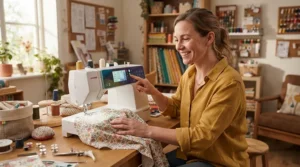
Stitch Preview Displays: The Feature Amazon Listings Undersell
A stitch preview display sounds like a minor convenience until you’re three stitches deep into an unfamiliar decorative pattern on an expensive piece of fabric. What the spec sheet won’t tell you, but user reports suggest, is that stitch preview accuracy varies meaningfully between brands — some render stitches at true size and proportion, while others show a stylised icon that only loosely represents the finished result. A touchscreen sewing machine with stitch preview genuinely earns its price premium when the preview also displays presser foot recommendations and tension settings alongside the visual, because that’s the combination that actually prevents mistakes rather than just illustrating them after the fact. Based on the spec comparison across this list, the Brother Innov-is F560 and SINGER Quantum Stylist Touch 9985 both handle this particularly well, showing stitch, width, length and foot recommendation together on a single screen rather than splitting the information across menus.
Sewing Machine Screen Size: Does Bigger Always Mean Better?
Not automatically, though bigger generally does mean easier to read, especially past your forties when close-up vision starts to become negotiable. The Janome Continental M7 Professional‘s 7-inch display is genuinely in a different league from the compact 3.7-inch screen on the Brother Innov-is F560, and for embroidery editing specifically, that extra real estate matters enormously — you’re manipulating designs, not just selecting stitches. However, a larger sewing machine screen size also means a larger machine overall, which matters if your sewing space is a fold-out table rather than a dedicated room. Here’s what to weigh: for straightforward garment sewing, a 3-4 inch touchscreen interface is genuinely sufficient, and paying extra purely for screen real estate you won’t use for embroidery editing is money better spent on stitch quality or workspace size instead.
Common Mistakes When Buying a Touchscreen Sewing Machine
Buying based on stitch count alone is the most frequent mistake, since 960 rarely-used decorative stitches matter less than a handful of flawless everyday ones. A close second is underestimating throat space needs — quilters especially tend to buy a compact dressmaking-oriented machine and then discover, mid-quilt, that they’re fighting the workspace on every seam. Skipping in-store demonstration is another common regret; a touchscreen’s responsiveness and menu logic vary enormously between brands, and what reads well in a product photo can feel clunky in actual use. Finally, plenty of buyers overlook after-sales support entirely, only to discover a screen fault six months in with no straightforward repair path — checking warranty terms specifically for electronic and screen components, not just mechanical parts, is worth the five minutes it takes.
Long-Term Cost & Maintenance of Touchscreen Sewing Machines
The purchase price is genuinely only the opening figure. Servicing a computerised machine typically runs more than a mechanical equivalent, since technicians need familiarity with the electronics as well as the mechanics, and a touchscreen replacement, when needed, is rarely a cheap part. That said, the automation these machines provide — auto tension, auto thread cutting, sensor-based fabric feeding — genuinely reduces wear on other components by preventing the fabric jams and tension snarls that damage timing belts and hooks over time. Cost-per-use works strongly in favour of the pricier combo machines if you’ll actually use the embroidery function regularly, since a separate embroidery-only machine would represent a second full purchase and a second service bill down the line.
| Ownership Factor | Budget Touchscreen (e.g. Opal 670) | Premium Combo (e.g. Innov-is V5LE) |
|---|---|---|
| Typical annual service cost | Lower | Higher, due to embroidery mechanisms |
| Screen repair cost if needed | Moderate | Higher, larger/complex display |
| Cost per use over 10 years | Low if used regularly | Low only if embroidery is used regularly |
The clear takeaway here is that the premium machines only deliver genuine long-term value if their extra capability — embroidery field, screen size, speed — actually gets used week to week, rather than sitting as an occasional novelty.
Safety, Regulations & Warranty: What UK Buyers Should Check
Every sewing machine sold in Great Britain needs to meet the Electrical Equipment (Safety) Regulations, and manufacturers demonstrate this through UKCA (or, currently, still-recognised CE) marking on the machine and its packaging. According to official GOV.UK guidance on the UKCA marking, this marking is a declaration that the equipment has been assessed against designated safety standards, and it’s worth actually checking for that mark on the box before buying a touchscreen sewing machine from an unfamiliar seller, particularly via third-party marketplace sellers rather than authorised dealers. Warranty terms are just as important to check line by line: most mainstream brands offer two to three years on parts and labour, but some explicitly exclude touchscreen and electronic component failures from standard cover, requiring an extended warranty to close that gap. Which?’s independent sewing machine buying guides are a genuinely useful cross-reference here, since their surveys of real owners consistently flag brand-level differences in build quality and after-sales support that spec sheets alone won’t reveal.
✨ Don’t Miss These Exclusive Deals!
🔍 Take your sewing setup to the next level with these carefully selected touchscreen machines. Click on any highlighted model to check current pricing and availability. These machines will help you create garments, quilts and gifts your family will genuinely treasure!
FAQ
❓ What is a touchscreen sewing machine?
❓ Are touchscreen sewing machines worth the extra money?
❓ Can you use a touchscreen sewing machine with damp or gloved hands?
❓ What screen size is best for a sewing machine?
❓ Do touchscreen sewing machines break more often than button models?
Conclusion
Choosing a touchscreen sewing machine really comes down to being honest with yourself about how you actually sew, rather than how you imagine you might sew someday. If you’re newer to the hobby or lean on automation to bridge a confidence gap, the Husqvarna Viking Opal 670 or SINGER Quantum Stylist Touch 9985 deliver genuine touchscreen benefits without asking you to remortgage anything. If dressmaking and light quilting make up most of your week, the Brother Innov-is F560 earns its reputation as an all-rounder honestly. And if embroidery is genuinely part of your plan rather than a someday-maybe, the Brother Innov-is 1250 or the considerably more serious Brother Innov-is V5LE justify their price through capability you’ll actually use. The Janome Continental M7 Professional, meanwhile, sits apart entirely — a machine for people who already know precisely why they need that much speed and workspace. Whichever direction you go, the screen itself is only as good as the machine reading it, so weigh stitch quality and build reliability just as heavily as the interface doing the talking.
Recommended for You
- Computerised Sewing Machine For Beginners: 7 Best UK Picks (2026)
- Computerised Sewing Machines: 7 Honest UK Picks (2026)
- Computerised Sewing Machine: 7 Best Picks & Honest Verdicts (2026)
Disclaimer: This article contains affiliate links. As an Amazon Associate, I earn from qualifying purchases. If you purchase products through these links, we may earn a small commission at no additional cost to you.
✨ Found this helpful? Share it with your friends! 💬🤗
