
In This Article
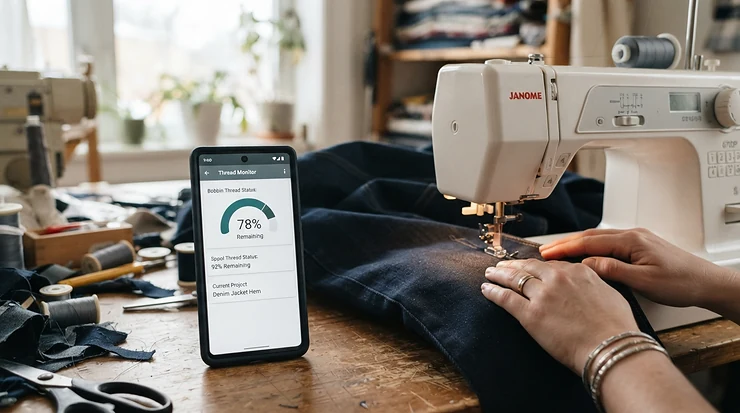
A WiFi-enabled sewing machine is a computerised sewing or embroidery machine with built-in wireless connectivity. It lets you send designs from a computer, tablet or phone, receive firmware updates, and sometimes watch a stitch-out remotely, all without a USB stick. The best models add a companion app and cloud pattern storage on top.
Ten years ago, getting a design onto an embroidery machine meant hunting for a memory stick that was always in the other coat pocket. Now the design can be waiting on the machine before you’ve finished your tea. That’s the appeal in one sentence. Wireless is also the latest chapter in a long story: Brother launched its first computerised sewing machine back in 1979, and each generation since has moved a little more of the thinking from your hands into a chip.
But here’s the catch. “Smart” is a marketing word, and it covers everything from a genuinely useful design-transfer system to a logo on the box. Some machines give you wireless transfer and nothing else. Others give you a full ecosystem of apps, tutorials, updates and cloud folders, with a subscription waiting in the wings.
This WiFi sewing machine review guide sorts the substance from the sparkle. I’ve compared seven real machines, from wallet-friendly to flagship, using manufacturer specifications, UK retailer material and published owner commentary. I haven’t stitched on any of them myself, so what follows is analysis rather than workbench diary. Where I couldn’t verify real-world feedback, I say so.
WiFi-Enabled Sewing Machine Quick Comparison
| Machine | WiFi and app ecosystem | Embroidery field | Rough price bracket | Best for |
|---|---|---|---|---|
| Brother SE700 | Wireless LAN, Design Database Transfer, Artspira | 4 × 4 in | Entry-to-mid | First-time wireless buyers |
| Silver Viscount CH05 | WiFi Direct, Stitch Pro app | Compact (check spec) | Budget (under £300) | Tight budgets, low-risk experiments |
| Brother Innov-is NQ3550W | Wireless LAN, Design Database Transfer, Artspira | 6 × 10 in | Upper-mid | Larger designs without USB |
| Singer SE9185 | WiFi, mySewnet (subscription for the full library) | Around 5 × 7 in class | Mid | Touchscreen fans who like progress alerts |
| PFAFF performance icon | WiFi, mySewnet, CreatorCue app | Sewing-focused | Premium | Garment sewists who want guidance |
| Janome Atelier 9 | WiFi, AcuEdit, AcuMonitor, AcuSetter (iPad) | 170 × 200 mm | Premium (around £3,000) | Quilters adding embroidery |
| Husqvarna Viking Designer Epic 3 | WiFi, mySewnet cloud, mobile app | 460 × 450 mm | Flagship | Serious embroiderers with budget |
Prices are brackets at the time of research (September 2026). Check current pricing before you buy.
Read the table as a ladder, not a league table. The Brother SE700 and Silver Viscount CH05 are the low rungs, and the Husqvarna Viking Designer Epic 3 is a different sport entirely. The interesting middle is where Brother Innov-is NQ3550W, Singer SE9185 and Janome Atelier 9 trade blows on field size, ecosystem and how much you’ll pay after the till. Buyers watching every pound should note that the cheapest wireless option isn’t automatically the cheapest to live with once subscriptions enter the picture.
💬 Just one click — help others make better buying decisions too!😊
Top 7 WiFi-Enabled Sewing Machine Picks: Expert Analysis
1. Brother SE700 — the sensible wireless starter
The Brother SE700 is for anyone who wants wireless without remortgaging the house. It pairs a 4 × 4 inch hoop with 135 built-in designs, 103 stitches and a 3.7-inch colour touchscreen. That hoop size handles monograms, pocket motifs and bib appliqués nicely, but jacket backs are out of reach. The screen lets you preview and reposition a design before a single stitch goes in, which saves fabric and temper.
Wirelessly, it uses Brother’s free Design Database Transfer software to send files from your PC, and the Artspira app to draw or download patterns. Based on the spec comparison, this is the lowest-cost route into a major brand’s companion app ecosystem. A buyer comment on the Amazon UK listing mentions it’s fairly quiet and easy to swap between sewing and embroidery attachments. That’s only one data point, so treat it as indicative rather than conclusive.
Pros:
- ✅ Wireless transfer at an entry-level price
- ✅ Handy touchscreen previews and on-screen editing
- ✅ Established brand with wide accessory support
Cons:
- ❌ 4 × 4 in hoop limits larger designs
- ❌ Slower and smaller than pricier siblings
Price: entry-to-mid bracket; check current price. Verdict: the best-value first step into WiFi-enabled sewing.
2. Silver Viscount CH05 — the wildcard with WiFi Direct
The Silver Viscount CH05 is the cheeky one. This UK-sold combination machine offers sewing and embroidery, plus a Stitch Pro app that uses WiFi Direct, meaning the machine doesn’t need to join your home network at all. On paper that’s a neat trick: no router password stored on a budget machine, and no extra traffic on your broadband.
The catch is evidence. I couldn’t find independent owner reviews I trusted, so I can’t summarise real-world sentiment, and I won’t pretend to. The brand is also far less established than Brother or Janome, which matters for parts, servicing and how long the app keeps working. Based on the retailer’s own description, it bundles PC embroidery software and a starter pack, which is generous for the money.
Who’s it for? Curious beginners who’d rather test embroidery cheaply than commit. Ask the seller for its PSTI statement of compliance and its support-end date before you order.
Pros:
- ✅ Very low entry cost for sewing plus embroidery
- ✅ WiFi Direct avoids joining your home network
- ✅ Bundled software and starter extras
Cons:
- ❌ Little verifiable independent review data
- ❌ Uncertain long-term app and service support
Price: budget, under £300 at the time of research; check current price. Verdict: a low-risk experiment, not a long-term investment.
3. Brother Innov-is NQ3550W — big-hoop freedom without USB
The Brother Innov-is NQ3550W is where wireless starts to feel properly grown-up. Its 6 × 10 inch embroidery field is big enough for cushion panels and tea-towel borders. It ships with 258 built-in designs, 291 stitches, a 850 stitches-per-minute top speed and a Jump Stitch Trimming function that snips the small threads between colour blocks.
Translation: a large hoop plus wireless transfer means you can send a big design across the room and start stitching without fiddling with cables. The Automatic Height Adjuster keeps stitch length steady over thicker seams, and Artspira handles drawing and downloading. One comparison review notes its screen is smaller than some rivals, but describes the app and wireless features as well supported by owners.
Pros:
- ✅ Generous 6 × 10 in embroidery field
- ✅ Jump stitch trimming saves finishing time
- ✅ Wireless transfer plus Artspira drawing
Cons:
- ❌ Compact screen versus premium rivals
- ❌ Artspira+ premium content is subscription-based
Price: upper-mid bracket; check current price, and confirm UK stock. Verdict: the most balanced mid-range WiFi-enabled sewing machine here.
4. Singer SE9185 — the touchscreen with progress alerts
The Singer SE9185 leans on a large 7-inch colour touchscreen, an automatic needle threader, more than 150 built-in embroidery designs and over 250 stitches. Its party trick is mySewnet, which brings app notifications about your embroidery progress and access to a design library from the machine screen.
What matters in practice: being able to leave the machine stitching and get a nudge on your phone when a colour change is due. That’s genuinely useful for long designs. The catch, per the manufacturer’s own wording, is that a subscription is required for the full mySewnet experience. I found little independent UK owner feedback, so I can’t responsibly summarise sentiment; I’d treat the spec claims as the manufacturer’s until owners say otherwise. Sister model Singer SE9180 is reported to include a 90-day Platinum trial, so ask whether yours does too.
Pros:
- ✅ Big, clear 7-inch touchscreen
- ✅ Progress notifications for long stitch-outs
- ✅ Wireless design transfer built in
Cons:
- ❌ Full library needs a subscription
- ❌ Limited independent owner feedback found
Price: mid bracket; check current price and UK availability. Verdict: strong on convenience, so budget for the subscription.
5. PFAFF performance icon — the guided garment sewist’s pick
The PFAFF performance icon is less about embroidery and more about making sewing itself feel guided. It connects over WiFi to mySewnet for cloud storage, stitch loading and automatic updates, and the free CreatorCue app serves step-by-step tutorials from its Help Center.
Its hardware claims are just as interesting: built-in sensors that measure and regulate thread, LED lighting designed to banish shadows, and needle-piercing power the manufacturer says is nearly double that of previous models. Translated: fewer tension headaches on slippery fabrics, and enough punch for denim hems. The reasoning is straightforward. If your struggle is technique rather than design transfer, a tutorial library on the machine’s own screen is worth more than a bigger hoop.
Independent review data was thin at the time of research, so I’m relying on the manufacturer’s specification here.
Pros:
- ✅ Thread sensing helps reduce tension trouble
- ✅ On-demand tutorials via the companion app
- ✅ Automatic updates over WiFi
Cons:
- ❌ Premium price for a sewing-focused machine
- ❌ Some mySewnet content sits behind a subscription
Price: premium, multi-thousand-pound bracket; confirm with a UK stockist. Verdict: worth it if guidance, not embroidery, is your priority.
6. Janome Atelier 9 — the quilter’s WiFi-enabled hybrid
The Janome Atelier 9 combines sewing and embroidery, and UK Janome material calls the WiFi feature a highlight at this price point. It offers a 170 × 200 mm embroidery area, AcuFeed Flex layered-fabric feeding, 300 stitches, 250 built-in designs and a sewing speed of up to 1,000 stitches per minute. The embroidery unit mounts at the back, so the free arm stays usable and the desk footprint stays modest.
Wirelessly, it accepts JEF design files from an iPad via AcuEdit, AcuMonitor and AcuSetter, and retailers say it receives firmware updates over WiFi. Here’s what the spec sheet won’t tell you outright: the apps are aimed at iPad users, so Android households should check compatibility. UK dealers describe a two-year parts-and-labour warranty, extendable, which counts for a lot at this spend.
Pros:
- ✅ AcuFeed Flex suits quilting and layered fabrics
- ✅ Rear-mounted embroidery unit saves space
- ✅ Warranty and dealer support in the UK
Cons:
- ❌ Companion apps centre on iPad
- ❌ Premium price tag
Price: roughly £2,800-£3,200; check current price. Verdict: superb if quilting plus embroidery is the plan.
7. Husqvarna Viking Designer Epic 3 — the no-compromise flagship
The Husqvarna Viking Designer Epic 3 is the machine you buy when the hobby has become the plan. Its embroidery field runs to 460 × 450 mm, with reversible hoops, stitch projection for placement, and AI-powered presser-foot detection that warns if a foot doesn’t suit the chosen stitch.
Connectivity comes through mySewnet: a free cloud folder (100MB, per UK dealer material) reachable from the screen, plus a 90-day Platinum trial. Published owner commentary, including a long-running quilting blogger’s series on earlier Epic models, consistently praises how easy it is to push designs from a PC to the machine without a USB stick. That’s blogger opinion, not a large review sample, but it fits the spec.
Pros:
- ✅ Industry-leading embroidery area
- ✅ Projection helps placement accuracy
- ✅ Deep mySewnet cloud integration
Cons:
- ❌ Flagship money, well beyond most budgets
- ❌ Full library access needs a subscription
Price: flagship bracket, well above £10,000 on the evidence I found; confirm with a UK dealer. Verdict: exceptional, but only for committed embroiderers.
The Seven at a Glance
| Machine | Ecosystem | Subscription note | Review-sentiment note | Best for |
|---|---|---|---|---|
| Brother SE700 | Artspira, Design Database Transfer | Artspira+ optional | Small sample, positive on noise and ease | Beginners |
| Silver Viscount CH05 | Stitch Pro, WiFi Direct | None found | No independent reviews verified | Experimenters |
| Brother Innov-is NQ3550W | Artspira, Design Database Transfer | Artspira+ optional | Owners reportedly like wireless support | Bigger projects |
| Singer SE9185 | mySewnet | Required for full library | Little independent feedback | Notification lovers |
| PFAFF performance icon | mySewnet, CreatorCue | Some content paid | Little independent feedback | Guided garment sewing |
| Janome Atelier 9 | Acu apps (iPad) | Apps listed without one | Retailer praise, few owner reviews found | Quilters |
| Husqvarna Viking Designer Epic 3 | mySewnet cloud | Trial, then subscription | Positive blogger commentary | Serious embroiderers |
The Janome Atelier 9 is the only machine here whose companion apps I couldn’t tie to a subscription, which is a quiet advantage over the mySewnet family for anyone allergic to monthly fees. On the other hand, Singer SE9185, PFAFF performance icon and Husqvarna Viking Designer Epic 3 share an ecosystem, so learning mySewnet once pays off if you upgrade within the family later. Weigh where each machine sits, not just its headline spec.
Smart Sewing Machine Features That Actually Matter (And Those That Don’t)
Not every smart sewing machine feature earns its keep. Here’s how I’d rank them.
The ones worth paying for
Wireless design transfer is the headline for good reason. It removes the USB dance and, on machines like the Brother Innov-is NQ3550W, makes big designs painless to load. Over-the-air updates come second: retailers describe firmware updates via WiFi on the Janome Atelier 9, and it means your machine improves after purchase rather than ageing.
Progress monitoring is underrated. On long embroidery jobs, an alert that a colour change is due beats hovering nearby for an hour. And in-app tutorials, like the PFAFF performance icon‘s CreatorCue content, are worth far more to a beginner than a design library.
The ones you can shrug off
Social sharing built into a companion app is pleasant but rarely decisive. Enormous design libraries look impressive on the box, yet most makers stitch the same dozen motifs. Fancy stitch counts are similar: 291 stitches sounds glorious, but you’ll likely use twenty.
The real test is simple. Ask what you’d miss on day 30. If the answer is “the wireless transfer”, you’re buying the right machine.
How to Choose a WiFi-Enabled Sewing Machine
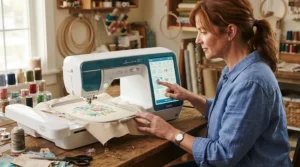
The quickest way to choose is to work through seven decisions in order.
- Decide sewing-first or embroidery-first. A sewing-focused machine such as the PFAFF performance icon rewards different priorities than an embroidery-led one.
- Match the hoop to your projects. A 4 × 4 in field suits monograms; 6 × 10 in suits cushion covers and borders.
- Check the companion app on your own devices. Some apps, like the Janome ones, target iPad. Confirm your phone or tablet works.
- Read the subscription terms. Free trials end, so find out what the full price gets you.
- Check the update policy. UK law now requires smart-product makers to state a minimum support period, as the NCSC explains in its guide to the Product Security and Telecommunications Infrastructure regime. Ask to see it.
- Confirm file compatibility. Common formats include PES, DST, JEF and VP3, so check yours before you fall for a machine.
- Weigh UK support. Dealer servicing and warranty length matter more than a spare stitch or two.
This is also where a genuine WiFi sewing machine review earns its keep: the checklist tells you what to ask, and reviews tell you whether owners hit trouble.
WiFi Sewing Machine vs Standard Computerised Machine: What Do You Actually Gain?
Most people don’t need WiFi to sew a straight seam. A standard computerised machine with a USB port still handles stitches, buttonholes and embroidery files. So the question isn’t “which is better?” It’s “what do you gain for the extra outlay, and what new risks do you take on?”
| Factor | WiFi-enabled machine | Standard computerised machine |
|---|---|---|
| Design transfer | Wireless from PC, tablet or phone | USB stick or cable |
| Updates | Often over the air | Usually manual, sometimes dealer-only |
| Tutorials and guidance | On-screen or in a companion app | Manual or printed guide |
| Cloud pattern storage | Available on ecosystems like mySewnet | Not available |
| Ongoing costs | Possible subscriptions | Typically none |
| Security surface | Needs network hygiene | Minimal |
| Best for | Brother Innov-is NQ3550W, Janome Atelier 9 | Simple, offline sewing |
The gain is convenience and a machine that keeps improving. The cost is a small but real security responsibility and a possible subscription. If you sew occasionally and stitch a handful of designs a year, USB is fine. If you transfer designs weekly, or want progress alerts and cloud folders, wireless pays for itself in saved hassle.
Companion App: What It Actually Does
A companion app is the phone or tablet layer that makes a smart sewing machine feel connected. In practice it does three jobs: it sends designs to the machine, teaches you how to use it, and reports what’s happening while it runs.
Brother’s Artspira lets you draw line-art designs on a phone and transfer them wirelessly, and a premium tier adds a bigger design library. Singer’s CREATIVATE and mySewnet apps provide tutorials, design tools and project guides, and they work across SINGER, HUSQVARNA VIKING and PFAFF machines. Janome takes a different route with separate iPad apps for editing, monitoring and setting up designs.
Here’s the reasoning: pick the companion app first, then the machine. If you live in an Android household and the app is iPad-only, a hardware bargain becomes a daily annoyance. Look for a free tier that covers wireless transfer, because everything else is a bonus.
Cloud Pattern Storage: Where Your Designs Actually Live
Cloud pattern storage means your designs sit on a manufacturer’s server rather than a stick in a drawer. The upside is obvious: your files follow you between the machine, laptop and phone. The Husqvarna Viking Designer Epic 3 exposes a cloud folder on-screen, and UK dealer material lists 100MB free, which is plenty for embroidery files that are usually small.
The downsides are worth stating. Free tiers fill up, subscriptions can lock out extras if they lapse, and a cloud service is only as durable as the company running it. My advice: treat the cloud as a convenience copy, never your only copy. Keep an original of every purchased or self-made design on your own computer.
If you’d rather avoid the cloud altogether, Brother SE700 and Brother Innov-is NQ3550W send files from your PC over your network, which is a lighter approach. And the Silver Viscount CH05 uses WiFi Direct, avoiding your home network completely.
Smart Sewing Machine with App Connectivity: Who Is It Really For?
A smart sewing machine with app connectivity suits some makers far more than others.
Beginners
Beginners benefit most from guided setup, so a machine like the Brother SE700 or the PFAFF performance icon makes sense. The first lets you start cheaply; the second teaches as you sew.
Small-batch personalisers
If you monogram gifts regularly, wireless transfer and a larger hoop save real time. The Brother Innov-is NQ3550W‘s 6 × 10 in field suits this crowd. A note of realism: home machines aren’t built for production runs, so keep volumes modest.
Quilters
Quilters get the most from the Janome Atelier 9, thanks to AcuFeed Flex and rear-mounted embroidery. It’s an embellishment machine that can also handle piecing.
Long-stitch-out fans
If you enjoy leaving machines running, Singer SE9185 notifications make sense. Just remember the subscription.
Setup Guide: Your First 30 Days With a WiFi-Enabled Sewing Machine
Day 1: connect carefully. Update the firmware first, before designing anything. Then join a 2.4GHz network if your manual specifies one; many embroidery wireless products, including Wilcom’s EmbroideryConnect adaptor, require it. If your router is upstairs and the machine is downstairs, expect flaky pairing.
Days 2-7: stitch the boring things. Send a simple test design and stitch it on scrap fabric. Note thread tension and stabiliser behaviour. This is also when you install the companion app and create an account.
Weeks 2-3: build your library. Set up a folder structure before you have 200 designs. Name files by size and hoop, for example “monogram-100mm”.
Week 4: audit. Check subscription trial dates, back up designs, and decide which paid features you’d genuinely miss.
Common mistakes in the first month include skipping updates, stitching designs bigger than the hoop and forgetting a trial expires. A phone reminder for trial end takes ten seconds and could save you a fee.
Real-World Scenarios: Matching Machines to Makers
Scenario 1: the weekend hobbyist. Budget matters, projects are small, and she sews around 4-6 hours a week. The Brother SE700‘s 4 × 4 in hoop covers her monograms, and wireless transfer skips USB shuffling. Reasoning: she’ll rarely miss a bigger field.
Scenario 2: the craft-fair seller. He personalises tote bags and cushions at weekends. A 6 × 10 in field on the Brother Innov-is NQ3550W fits larger prints, and speed up to 850 stitches per minute helps batch work. The trade-off is that the machine is still domestic, so servicing matters.
Scenario 3: the quilter branching out. She pieces quilts on a mid-range machine and wants embroidered labels. The Janome Atelier 9 puts sewing and embroidery in one footprint, and the AcuFeed system helps with layered fabrics. Her budget stretches to a premium purchase.
Scenario 4: the tech-curious upgrader. He loves gadgets and cares about alerts. Singer SE9185 suits him, as long as he’s comfortable with a subscription. If he ever outgrows it, he’d already know the mySewnet ecosystem.
Problem → Solution: When Your Smart Machine Acts Up
Problem 1: the machine won’t join WiFi. Check the network band first, since some machines want 2.4GHz. Move closer to the router, and try again without a guest network in the way.
Problem 2: the design doesn’t appear on the machine. Confirm the file format. Janome uses JEF, while common alternatives include PES, DST and VP3. Update the app and firmware, then resend.
Problem 3: the subscription surprised you. Log into the account, review the plan and set a reminder before any trial ends. The Singer SE9185 and Husqvarna Viking Designer Epic 3 both involve mySewnet terms worth reading.
Problem 4: no progress alerts arrive. Keep the phone on the same network and check app notification permissions.
Problem 5: the cloud folder is full. Archive rarely used designs to your computer and delete duplicates.
Security, Updates and UK Regulations for Smart Sewing Machines
A sewing machine on your network is a small computer, so treat it like one. The NCSC’s smart-device guidance recommends changing default passwords, switching on automatic updates where offered, and disabling remote access if you don’t need it away from home. Following it takes five minutes and cuts real risk.
UK law helps. Since 29 April 2024, manufacturers of consumer smart products sold in the UK must meet basic security requirements, including stating a minimum support period. On a plain reading, that should include a machine that joins your home network, though I’d ask the retailer to confirm and to show the statement of compliance. It’s a fair thing to ask before you spend four figures.
Practical steps: use a strong password made of three random words, keep the machine on a guest network if your router offers one, and confirm the support end date. This is where the Silver Viscount CH05‘s WiFi Direct approach is interesting, since it skips your main network, though a lesser-known brand’s update track record deserves scrutiny.
Long-Term Cost and Maintenance: What a WiFi-Enabled Sewing Machine Really Costs
The sticker price is only the opening bid. Total cost of ownership includes subscriptions, servicing, needles, stabiliser, thread and the hoops you’ll inevitably want.
Servicing matters more than most buyers expect. Consumer Reports’ buying guide advises taking your machine in for a tune-up at least every two years, more often if you sew heavily. Over a decade, five services add up to a meaningful sum. Warranty length changes the maths too: the Janome Atelier 9 is sold with a two-year parts-and-labour warranty at UK dealers, extendable to five, which offsets some cost.
Subscriptions are the sneaky line. A mySewnet plan on a Singer SE9185 or PFAFF performance icon might add a yearly amount that, over five years, rivals a decent accessory bundle. Meanwhile, the Brother SE700 works wirelessly with free tools, so its running costs stay low.
A rule of thumb: divide the purchase price by the number of projects you’ll realistically finish in five years. A pricier machine you use weekly is cheaper per project than a bargain that gathers dust.
Common Mistakes When Buying a WiFi-Enabled Sewing Machine
Buying for the library, not the workflow. Thousands of designs mean nothing if the wireless transfer is awkward.
Ignoring your devices. An iPad-centred app, like Janome’s, is a poor fit for an Android-only household.
Skipping the subscription small print. Free trials on mySewnet ecosystems roll into paid plans.
Overbuying hoop size. A Husqvarna Viking Designer Epic 3 field is glorious, but if you stitch pocket logos, it’s overkill.
Forgetting security. Default settings aren’t a strategy.
Ignoring UK support. Grey-import bargains may lack warranty cover, and confirm UK availability for any model listed only on overseas sites.
Note: the most expensive mistake is paying for features you’ll switch off in a month.
Frequently Asked Questions
❓ Does a WiFi-enabled sewing machine need constant internet to sew?
❓ Can I use a smart sewing machine with app connectivity without a subscription?
❓ Are WiFi sewing machines safe on my home network?
❓ Which file formats work with a WiFi-enabled sewing machine?
❓ Is a WiFi sewing machine worth it for a beginner who only sews clothes?
Conclusion
A WiFi-enabled sewing machine isn’t a gimmick, but it isn’t magic either. The best of them remove real friction: no more USB juggling, alerts on long stitch-outs, tutorials on demand and updates that keep the machine relevant. The worst are ordinary machines with a wireless badge.
If you want the safest first step, the Brother SE700 delivers wireless at a friendly price. For bigger designs, the Brother Innov-is NQ3550W is the balanced mid-range choice. Guided sewing points to the PFAFF performance icon, quilters should look hard at the Janome Atelier 9, and the Singer SE9185 suits notification lovers. The Husqvarna Viking Designer Epic 3 is for those whose hobby has become a serious craft, and the Silver Viscount CH05 is a cautious experiment for the cost-conscious.
My honest advice: pick the companion app and cloud pattern storage terms you can live with, check the security and support policy, and buy the hoop size you’ll genuinely use. Everything else is decoration.
Recommended for You
- Touchscreen Sewing Machines For Beginners: 7 Brilliant Picks (2026)
- Touchscreen Sewing Machine: 7 Best Picks Compared (2026)
- Computerised Sewing Machine For Beginners: 7 Best UK Picks (2026)
Disclaimer: This article contains affiliate links. As an Amazon Associate, I earn from qualifying purchases. If you purchase products through these links, we may earn a small commission at no additional cost to you.
✨ Found this helpful? Share it with your friends! 💬🤗
